The keys (CH1 ) for channel CH1 and/or (CH2 ) for channel CH2 are used to
reduce the output intensity. Every time you press one of the keys, the displayed value is
reduced by 1 mA (milliampere) whilst an acoustic signal is generated. If you press and
hold one of these keys for several seconds, a quick continuous reduction of the output
intensity is started, whereas each reduction by 1 mA (milliampere) is confirmed by an
acoustic signal. You release the respective key, the output intensity remains set to the
currently reached value. If you set the output intensity to 0, the device switches off the
pulse output and returns to the basic mode. The yellow indicator lights for channel
CH1 and/or for channel CH2 go out. If you wish to switch off the device immediately,
press and hold the key ( ) for several seconds.
and returns to the basic mode. The output intensity is set to 0 and the yellow indicator
lights for channel 1 (CH1) and/or for channel 2 (CH2) go out. However, you can
immediately stop the application by pressing the key ( ). Then, the device returns to
the basic mode. If you wish to switch off the device completely, you must press the key
( ) for several seconds.
7
9
1
2
4
1
2
7
9
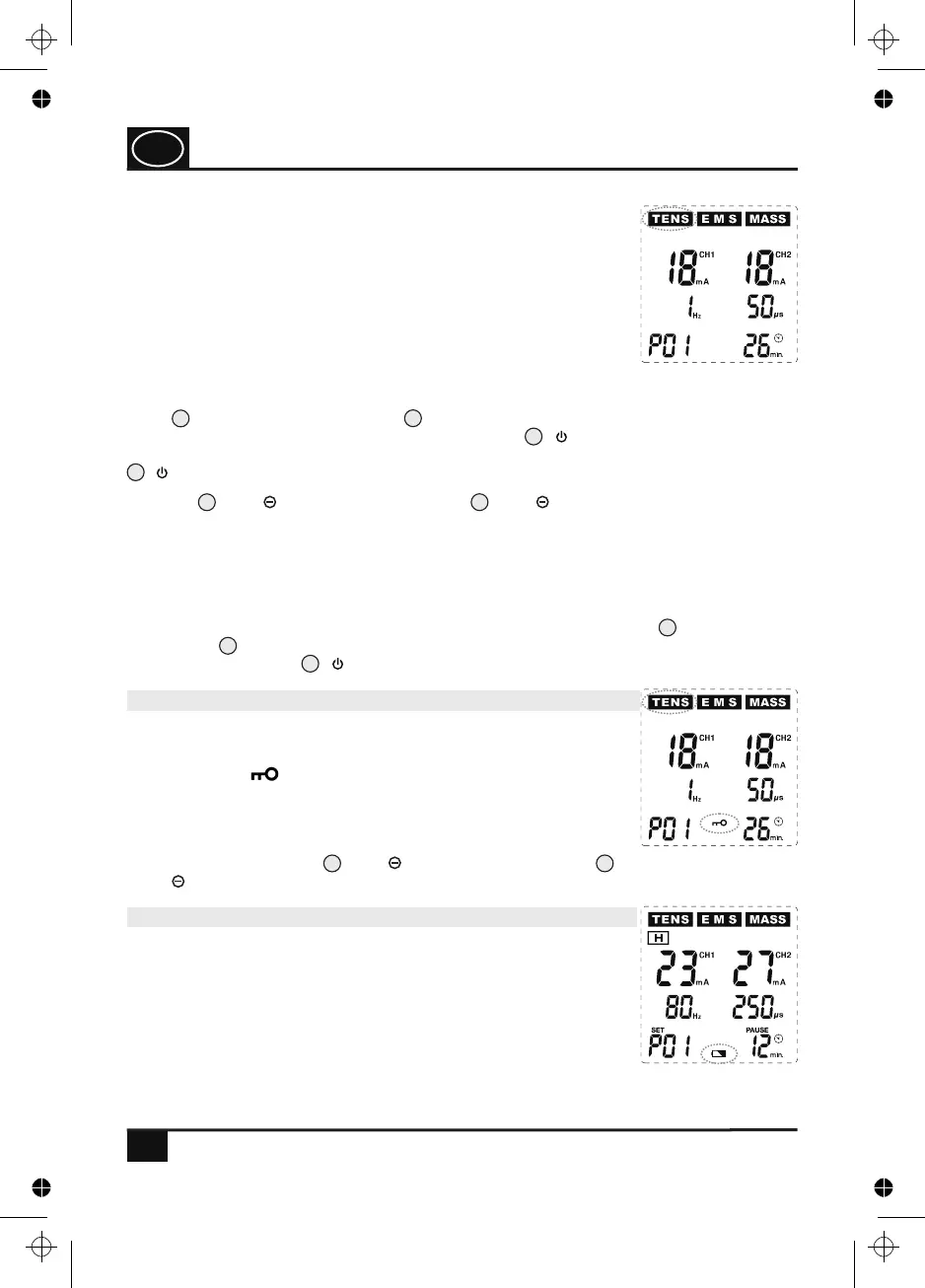
Fig. 14
18
Fig. 15
Fig. 16
11.8 Warning symbol for weak batteries
If the battery symbol starts to flash on the display (see Fig. 16),
the batteries are already weak. However, the device can still be
operated for a certain time. In this case, keep new batteries ready
in order to replace the used batteries with the new ones if required.
Please follow the instructions in the instruction manual on page 12
when changing the batteries.
If in any programme the intensity setting was increased from 0 to
any value on one or two channels (CH1) or (CH2), the device
switches into the operating mode and starts the application. The
intensity of the stimulation can be adjusted to the individual needs
of the user, with the highest intensity being 90 mA (milliampere).
The information about the selected output intensity in mA (milliam-
pere) and the remaining time in minutes is shown on the display
(see Fig. 14). The pre-programmed programmes (P01 etc.) have a
non-adjustable application time of 30 minutes per application.
After this time (the time information shown on the display is then 0
min.) has run out, the device automatically stops the pulse output
USAGE
4
4
11.7 Automatic keylock
If none of the keys is pressed in the operating mode, the device
switches off the blue display lighting after approx. 20 seconds and
activates the keylock that is shown on the display by means of the
flashing symbol (see Fig. 15). This keylock prevents the set
output intensity from being increased further. Thus, it can be
avoided that the intensity is increased unintentionally by pressing
the key in an uncontrolled manner or other undesired changes occur
whilst the device is operated. In order to deactivate the keylock,
press one of the two keys (CH1 ) for channel CH1 and/or
(CH2 ) for channel CH2.
GB
4. PJN157-14_GA-GB_HHD_TEN250_31.03.14
Montag, 31. Mrz 2014 12:10:42


 To Next Page