Need help?
Do you have a question about the dixell PROG TOOL and is the answer not in the manual?
Explains safety symbols and warnings in the manual for hazardous operations.
Details safety precautions for installation and wiring procedures.
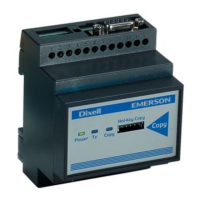
Lists the PROG TOOL unit and the CD-ROM with EASY PROG software and manual.
Lists the various cables included in the PROG TOOL KIT for connectivity.
Illustrates various wiring configurations for connecting the PROG TOOL.
Explains the function of each LED indicator on the PROG TOOL for status.
Covers programming between Hot Keys and from PC to Hot Key.
Provides wiring instructions for controllers equipped with RS485.
Details wiring for controllers lacking an RS485 port.
Guides through installing and launching the EASY PROG software.
Explains the interface and managing controller parameters via the software.
Details creating, modifying, and reading controller parameter maps.
Covers creating custom Hot Keys and direct controller programming.
 General
| Brand | dixell |
|---|---|
| Model | PROG TOOL |
| Category | Control Unit |
| Language | English |

 To Next Page