http://www.dji.com/zenmuse-l1
Copyright © 2022 DJI All Rights Reserved.
22
The DSM files of the measurement area can be obtained through the following two methods:
1. Collect the 2D image data of the mapping area and perform a 2D reconstruction through DJI
Terra. When processing, make sure to select Fruit Tree mode and use WGS84 as the coordinate
system. After processing with DJI Terra, a .tif file will be generated and it can be imported using a
microSD to the remote controller
2. Download the terrain mapping data from a geobrower and import it to the microSD card of the
remote controller.
Make sure the DSM file is a geographic coordinate system file, and not a projected coordinate system
file. Otherwise, the imported file may not be recognized. It is recommended that the resolution of the
imported file should be no more than 10 meters.
Importing Files:
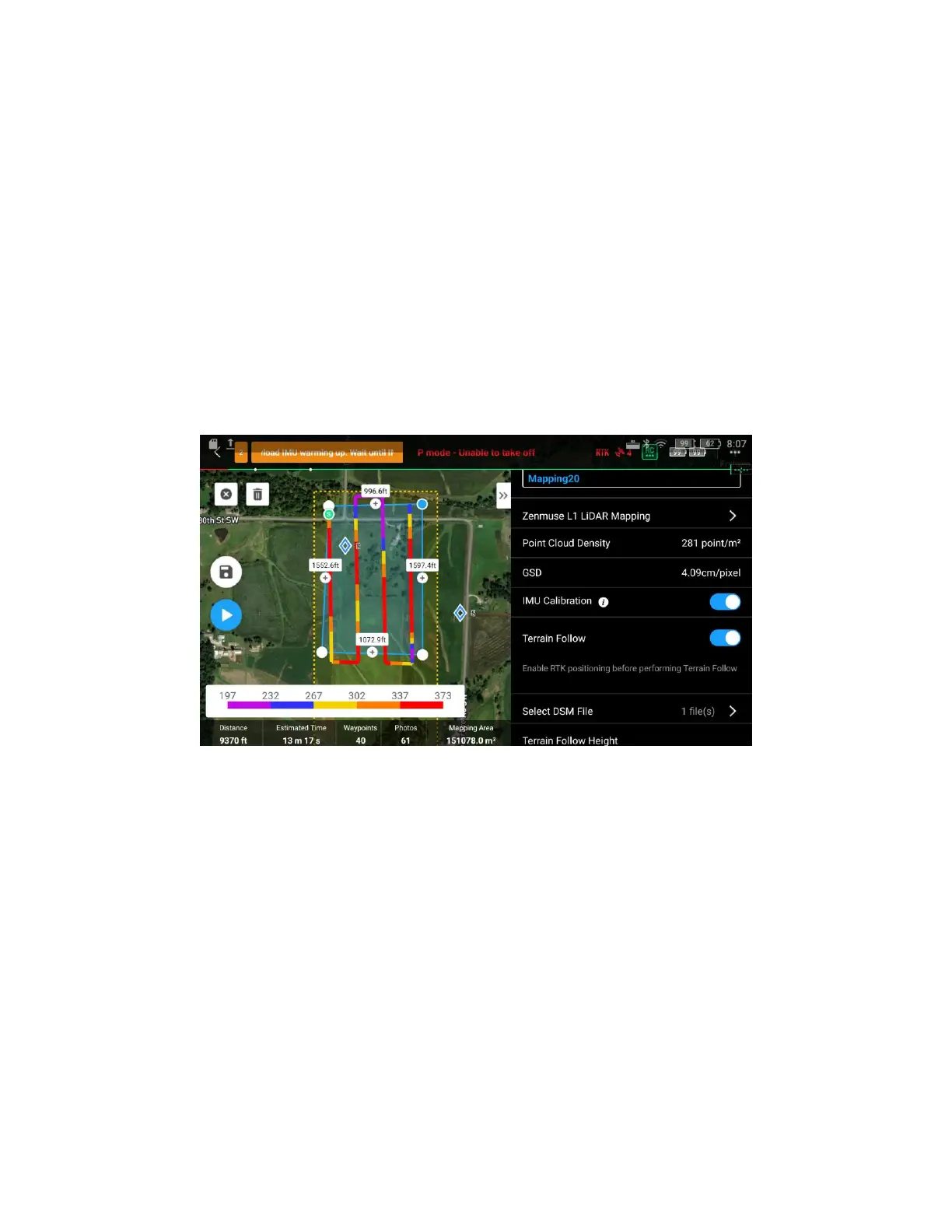
1. Enable Terrain Follow and IMU Calibration in Mapping mission
2. Tap “Select DSM File”, tap +, select and import the file from the microSD card
(1) Prepare the DSM file of the survey area
For a Terrain Follow mission, a DSM file including the elevation information of the terrain needs to be
imported. Please note that the DSM file used for Terrain Follow Mission must use the WGS84
coordinate system, rather than projected coordinates. The file should not exceed 20 MB in size, with a
preferred resolution of less than 10 meters.
The DSM file of the test area can be obtained in either of the two methods below:


 To Next Page