http://www.dji.com/zenmuse-l1
Copyright © 2022 DJI All Rights Reserved.
33
3.6 Field Data Collection
3.6.1 Power on L1 for Warmup
Before recording data, you need to attach the L1 to the single-downward gimbal of M300 RTK and
power it on to warm up the L1. The warmup takes about 3–5 minutes. Wait until a “Payload IMU
warmed up” prompt appears.
3.6.2 Flight Mission Execution
If the IMU Calibration feature is enabled in the mission settings, the drone will automatically perform
IMU calibration by performing a shuttle flight. No data will be collected during the calibration.
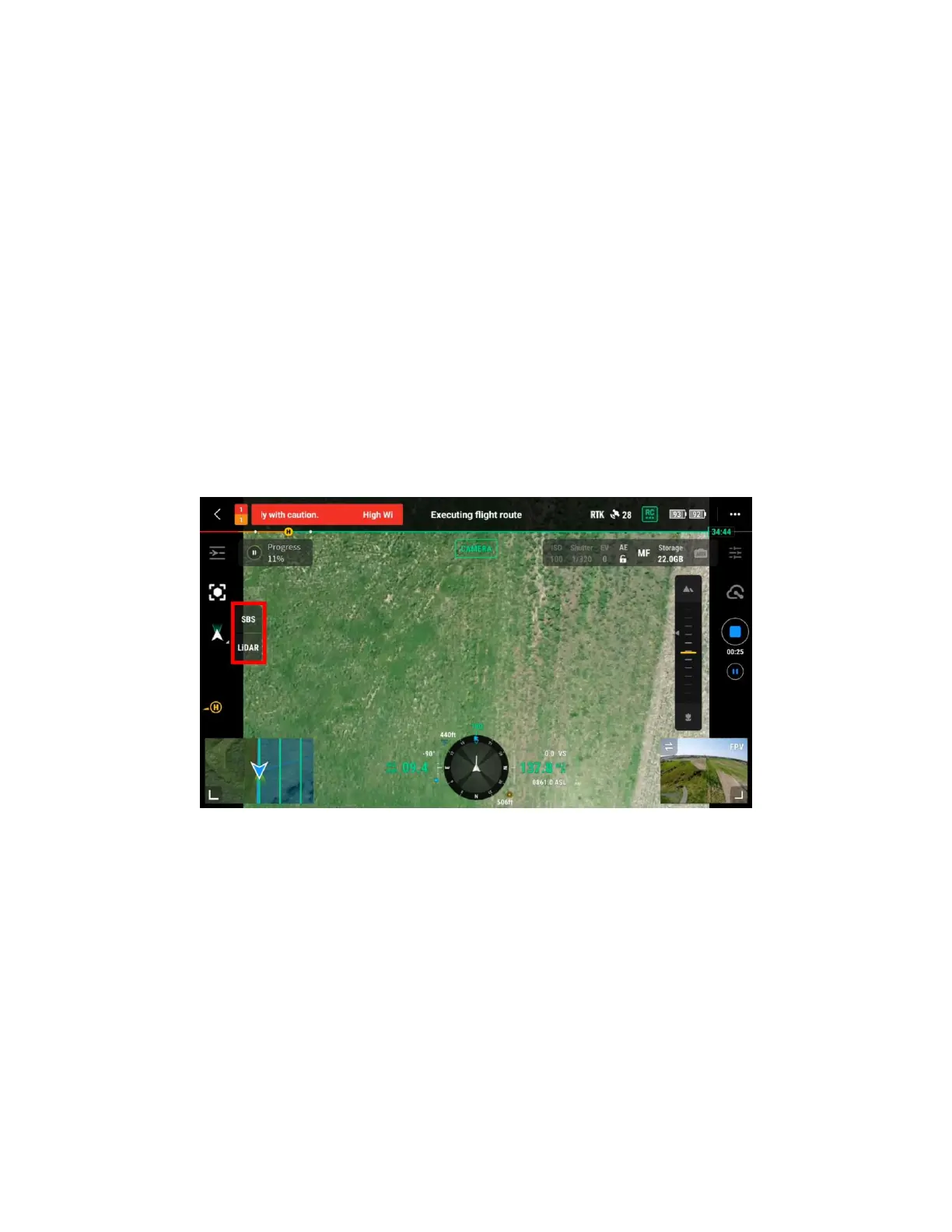
During the flight, you can switch between Camera, LiDAR, and SBS (side by side) view by pressing on
the left side option. If the flight mission is paused and then resumed, the drone will automatically
perform IMU calibration at the breakpoint.
Figure: automated flight screen (camera view)


 To Next Page