http://www.dji.com/zenmuse-l1
Copyright © 2022 DJI All Rights Reserved.
28
(1) In the DJI Pilot App, go to Flight Route - Create a Route - Waypoint - Live Mission Rec. Note that
you need to record in RTK mode;
(2) Fly the M300 RTK 10~20m above the power pylon and record the current point by pressing the
C1 button.
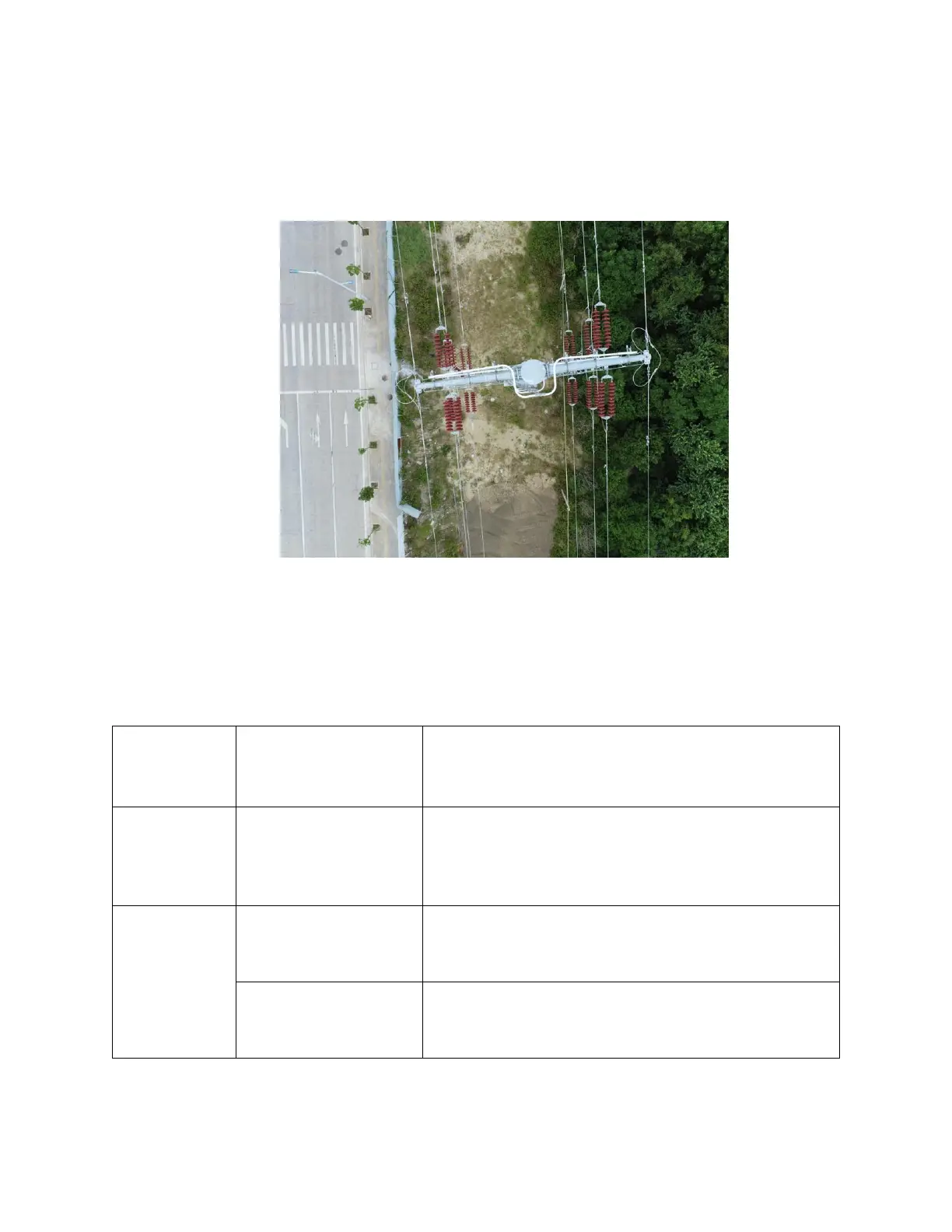
Figure: View from the top of a power pylon to record a waypoint (you can adjust the gimbal to be -90°
and adjust the aircraft position)
(3) Repeat this action for all structures within the mission area.
(4) Save the mission;
(5) Edit the mission parameters according to the table below:


 To Next Page