http://www.dji.com/zenmuse-l1
Copyright © 2022 DJI All Rights Reserved.
38
(2) Click to add LiDAR point cloud data as a folder.
The selected folder should include files with the suffixes CLC, CLI, CMI, IMU, LDR, RTB, RTK, RTL,
and RTS. JPG photos are not required.
How to merge the data from multiple flights into one LAS file?
You can put the data folders of multiple flights into one directory, and select this parent folder that
contains the data files. In this way you will get only one LAS file.
Alternatively, you can select multiple L1 data file folders for processing. Then you will get a LAS file
for each folder.
(3) Select Point Cloud Density
Three density levels are available: high, medium, and low, corresponding to 100%, 25%, and 6.25% of
the point cloud data for processing. Point cloud density only affects the number of result points. It
does not have a significant impact on the accuracy of the result.
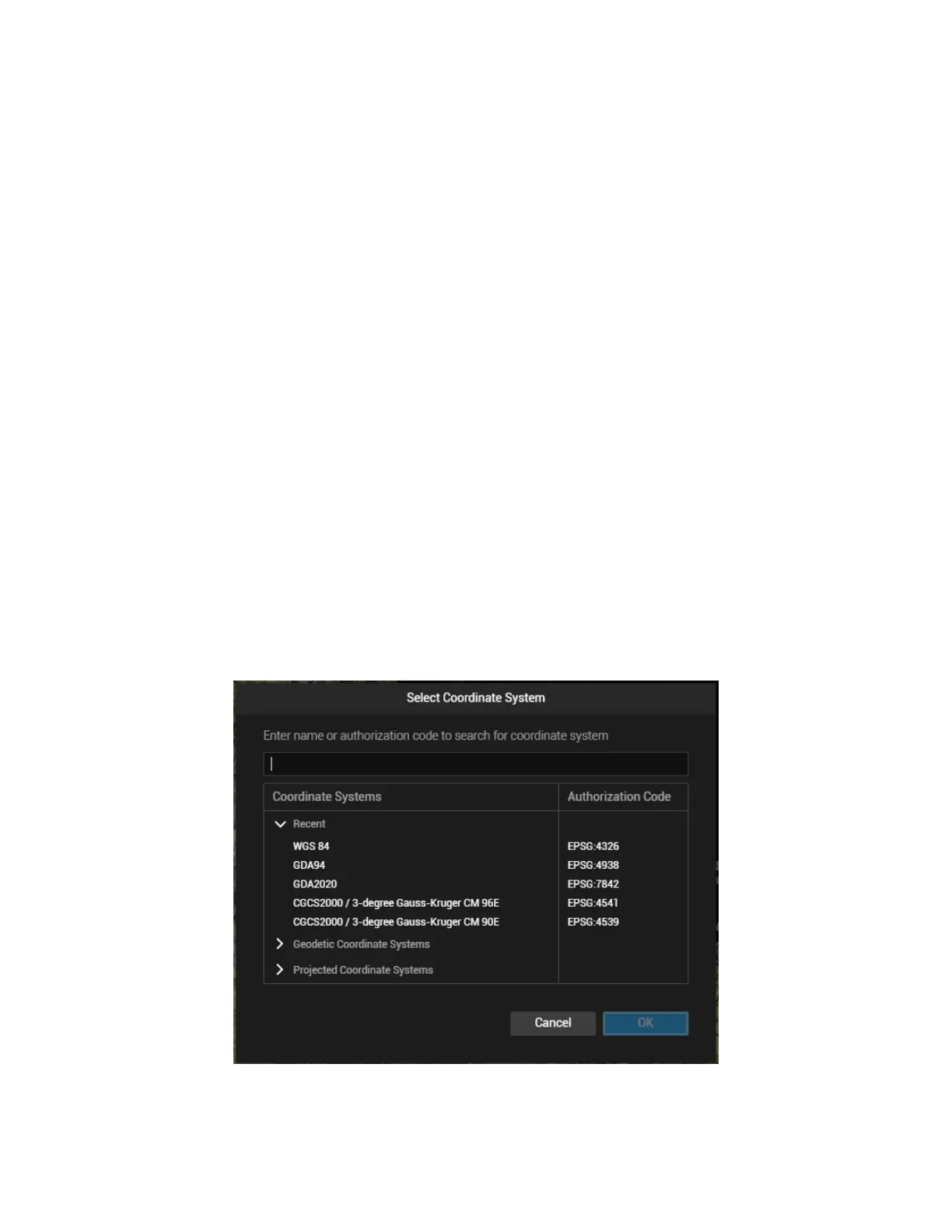
(4) Output Coordinate System Settings
Set the coordinate system according to the project requirement.
Figure: Select Coordinate System


 To Next Page