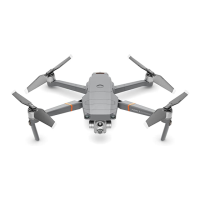
DJI Mavic 3 Pro User Manual
©
2023 DJI All Rights Reserved.
37
Settings
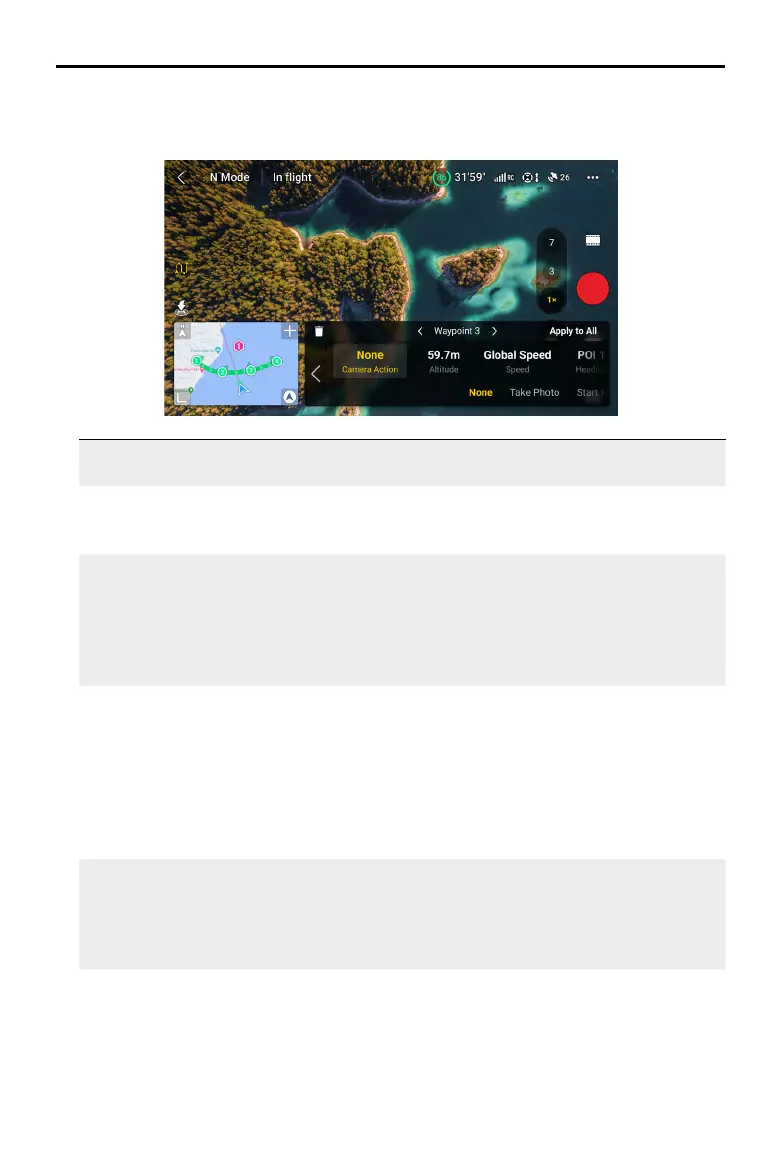
Tap the waypoint number for settings, the waypoint parameters are described as follows:
Camera
Action
The camera action at the waypoint. Choose between None, Take Photo, and
Start or Stop Recording.
Altitude The altitude at the waypoint from the take-o point. Ensure to take o at the
same take-o altitude to obtain better performance when a Waypoint Flight
is repeated.
Speed The ight speed at the waypoint.
• Global Speed: the aircraft will y at the same speed during the waypoint
ight route.
• Custom: the aircraft will accelerate or decelerate at a steady speed when
flying between waypoints. The preset speed will be reached when the
aircraft is at the waypoint.
Heading The aircraft heading at the waypoint.
• Follow Course: the heading of the aircraft at a horizontal tangent to the
ight route.
• POI*: tap the number of the POI to point the aircraft heading toward the POI.
• Manual: the aicraft heading can be adjusted by the user during a
Waypoint Flight.
• Custom: drag the bar to adjust the heading. The heading can be
previewed in the map view.
Gimbal Tilt The gimbal tilt at the waypoint.
• POI*: tap the POI number to point the camera toward the specic POI.
• Manual: the gimbal tilt can be adjusted by the user during a Waypoint
Flight.
• Custom: drag the bar to adjust the tilt of the gimbal.
Zoom • The camera zoom at the waypoint.
• Digital (1-3x): drag the bar to adjust the zoom ratio.
• Manual: the zoom ratio can be adjusted by the user during a Waypoint
Flight.
• Auto: the zoom ratio will be adjusted by the aircraft when ying between
two waypoints.


 To Next Page