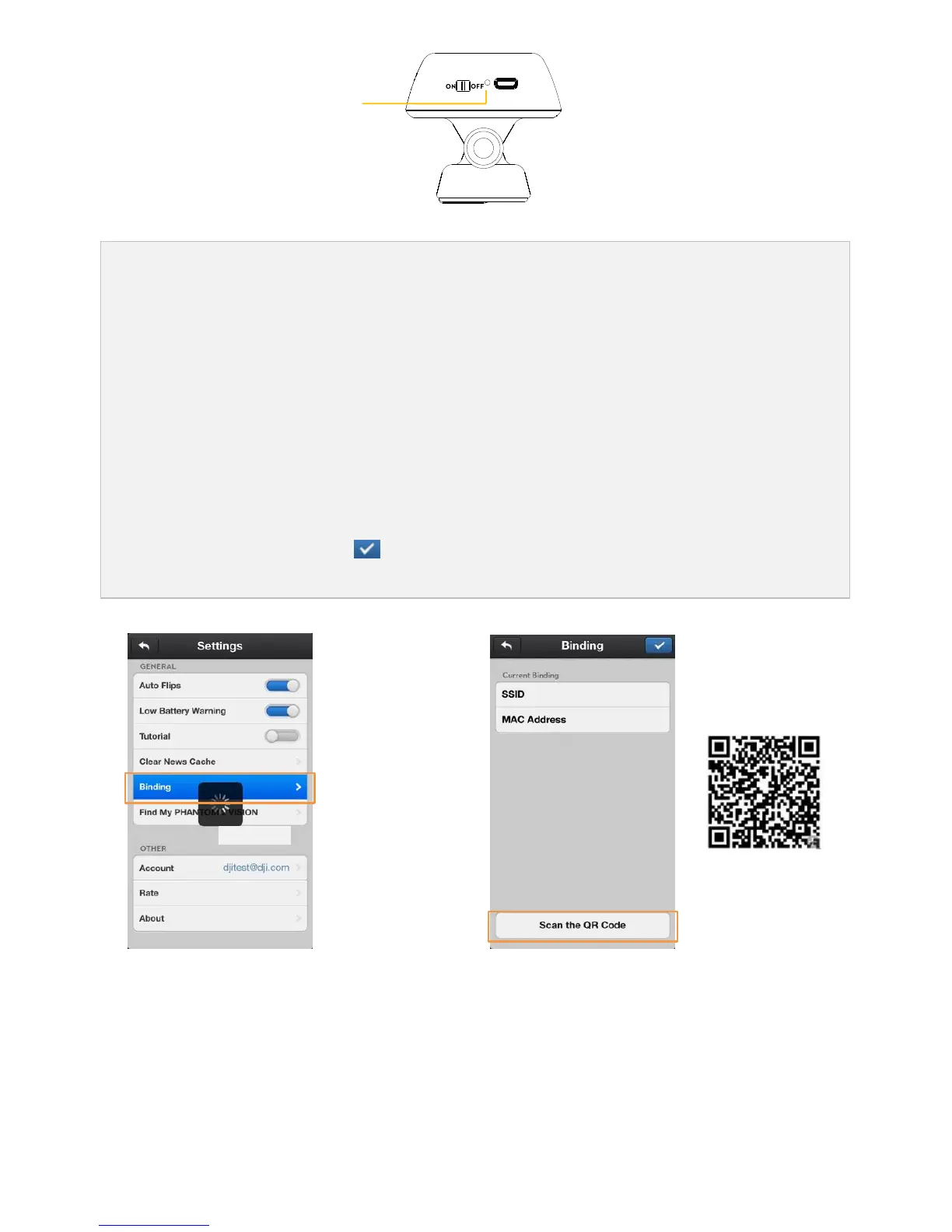
Approximately 30 seconds later, press the reset button on the range extender with a thin object until the
Wi-Fi signal indicator turns off. The range extender will then restart automatically.
Approximately 30 seconds later, the Wi-Fi signal indicator should start to blink green, which indicates the
range extender is now ready to be bound.
Find and select the Phantom_xxxxxx via the Wi-Fi list on the mobile device to connect the range extender.
(Fig.1) Run the DJI VISION App->Settings->General->Binding. (Fig.2) Select ‘Scan the QR Code’ to scan
the camera QR code on the product packaging. (Fig.3) Get the camera SSID (E.g. FC200_0xxxxx) and the
MAC address, select the tick on the top right corner. The range extender should automatically
restart. The binding procedure is now complete.



 To Next Page