2
©
2016 DJI All Rights Reserved.
Safety At a Glance
(QYLURQPHQWDO&RQVLGHUDWLRQ
•
"MXBZTnZBUMPDBUJPOTUIBUBSF
clear of building and other
obstacles
.
'2127Á\DERYHRUQHDUODUJHFURZGV
.
•
"WPJEnZJOHBUBMUJUVEFTBCPWF
400 feet (120 m).
•
#FWFSZDBSFGVMXIFOnZJOH
19,600 feet (6,000 m)
or more
above sea level.
•
Fly in moderate weather conditions with temperatures
between
32° to 104° F (0° to 40° C)
.
•
1MFBTFUBLFBEEJUJPOBMDBVUJPOXIJMFnZJOHJOEPPSTCFDBVTFUIFBJSDSBGUTUBCJMJ[BUJPOGFBUVSFTNBZCF
interfered.
3UHÁLJKW&KHFNOLVW
•
Ensure the remote controller and aircraft batteries are
IXOO\FKDUJHG
.
•
Ensure the propellers are in
good condition
and
VHFXUHO\WLJKWHQHG
CFGPSFFBDInJHIU
•
Ensure there is
nothing obstructing the motors
.
•
Only calibrate the compass when the DJI GO
TM
4 app or the status indicator prompt you to do so.
•
Check that the camera lens is
clean
and
free of stains
.
•
DO NOT temper (cover or otherwise interfere) with onboard sensors.
•
Altering or modifying the aircraft may impact its stability.
2SHUDWLRQ
6WD\DZD\
from the
rotating propellers and motors
.
•
Maintain
YLVXDOOLQHRIVLJKW
of your aircraft at all times. .
• DO NOT
pull the left stick to the bottom inside corner and press the
Return-to-Home (
RTH) button at the
same time
when the aircraft is airborne unless in an emergency situation.
• DO NOT
answer
incoming calls
EVSJOHnJHIU
• DO NOT
nZVOEFSUIFJOnVFODFPG
alcohols
or
drugs
.
•
During the Return-to-Home procedure, you can adjust the altitude to
DYRLGREVWDFOHV
.
• DO NOT
nZDMPTFMZBCPWF
UHÁHFWLYHVXUIDFHV
such as
ZDWHU
or
VQRZ
, as these terrain may affect the
performance of the Vision Positioning System.
•
In the instance of a
/RZ%DWWHU\:DUQLQJ
, land the aircraft at a
safe location
.
•
"GUFSMBOEJOHmSTUTUPQUIF
motor
, then turn off the
,QWHOOLJHQW)OLJKW%DWWHU\
, and then turn off the
remote
controller
.
•
When using TapFly
TM
and ActiveTrack
TM
features, be prepared to take control of the aircraft or press
the “STOP” button on the screen at all times, in case of an emergency.
•
8IJMFXJUIBEWBODFEUFDIOPMPHZUIFQJMPUTTPVOEEJTDSFUJPOJTSFRVJSFEEVSJOHUIFnJHIU4BGFUZBOE
nJHIUBTTJTUBODFGFBUVSFTTVDIBTPCTUBDMFBWPJEBODFBOEQSFDJTFMBOEJOHBSFEFTJHOFEUPBTTJTUZPVS
operation, not to replace it.
•
Environmental conditions including lighting and obstacle’s texture may impact the performance of the
Vision System.
•
The aircraft is not able to automatically break and stop at a safe distance from an obstacle if the aircraft
speed exceeds 14m/s (31.3 mph).
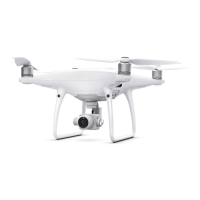
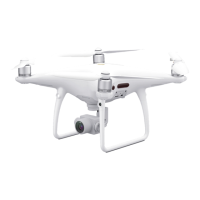
7KH'-,
70
3+$1720
70
4 Pro/
3URLV127DWR\DQGLV127
VXLWDEOHIRUFKLOGUHQXQGHUWKH
DJHRI
1RWHWKDW¶6DIHW\DWD*ODQFH·RQO\SURYLGHV
DTXLFNRYHUYLHZRIWKHVDIHW\WLSV
0DNHVXUH\RXUHDGDQGXQGHUVWDQGWKH
UHPDLQLQJVHFWLRQVRIWKH3KDQWRP3UR
3UR'LVFODLPHUDQG6DIHW\*XLGHOLQHV



 To Next Page