Aircraft
Phantom 4 Pro / Pro+ User Manual
©
2017 DJI All Rights Reserved.
19
• Landing Protection will not be active in the following circumstances:
a
)
When the user is controlling the pitch/roll/throttle sticks (Landing ground detection will
re-activate when control sticks are not in use)
b
)
When the positioning system is not fully functional (e.g. drift position error)
c
)
When the downward vision system needs re-calibration
d
)
8IFOMJHIUDPOEJUJPOTBSFOPUTVGmDJFOUGPSUIFEPXOXBSEWJTJPOTZTUFN
• If an obstacle is within 1-meter of the aircraft, the aircraft will descend to 0.3m above the
HSPVOEBOEIPWFS5IFBJSDSBGUXJMMMBOEVQPOXJUIVTFSDPOmSNBUJPO
Intelligent Flight Mode
TapFly
Introduction
8JUIUIF5BQ'MZGFBUVSFVTFSTDBOOPXUBQPOUIFNPCJMFEFWJDFTDSFFOUPnZJOUIFEFTJHOBUFEEJSFDUJPO
without using the remote controller. The aircraft will automatically avoid obstacles it sees or brake and hover
provided that the lighting is appropriate (< 300 lux) nor too bright (> 10,000 lux).
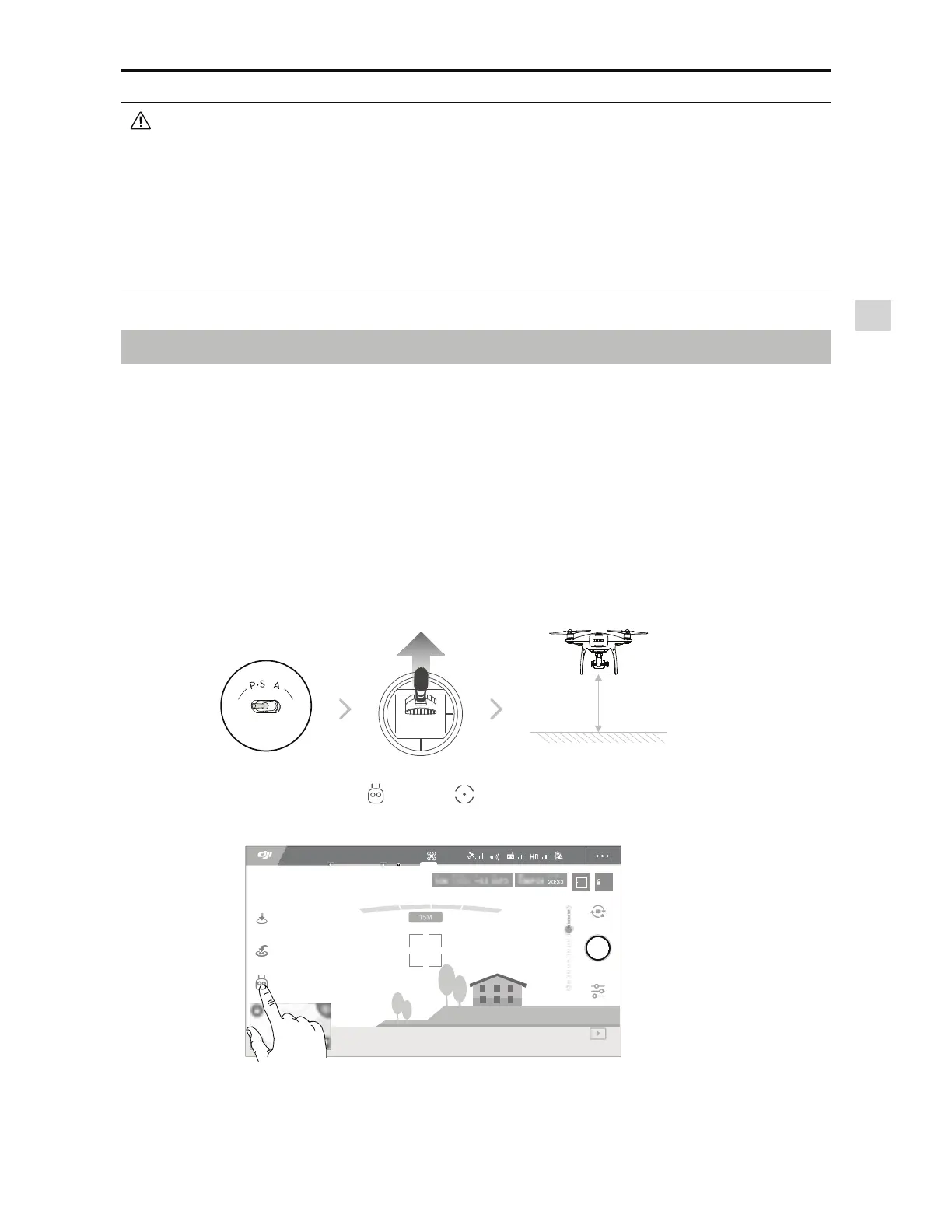
Using TapFly
Ensure the aircraft is in P-mode, then follow the steps below to use TapFly:
5BLFPGGBOEFOTVSFUIFBJSDSBGUJTnZJOHBUMFBTUGFFUNFUFSTBCPWFUIFHSPVOE
2 meters
ON OFF
Auto Hold
2. Launch the DJI GO 4 app and tap
, then tap
, read and understand the prompts.
AE
09:29
61%
P-GPS
12
H 10.0MD 30M
VS 2.0M/S VPS 2.0MH.S 10.0 M/S
*O'MJHIU(14



 To Next Page