73
Not in setting mode:
Press or for more than half a second
(less than 2 seconds): display the items
orderly.
Press for more than 2 seconds: Circularly
and orderly display the items every 2 seconds,
when press the key for some time again, it will
turn to output status.
In setting mode:
Press or for more than half a second
(less than 2 seconds): Select the setting
option.
Table 8. Work with UPS
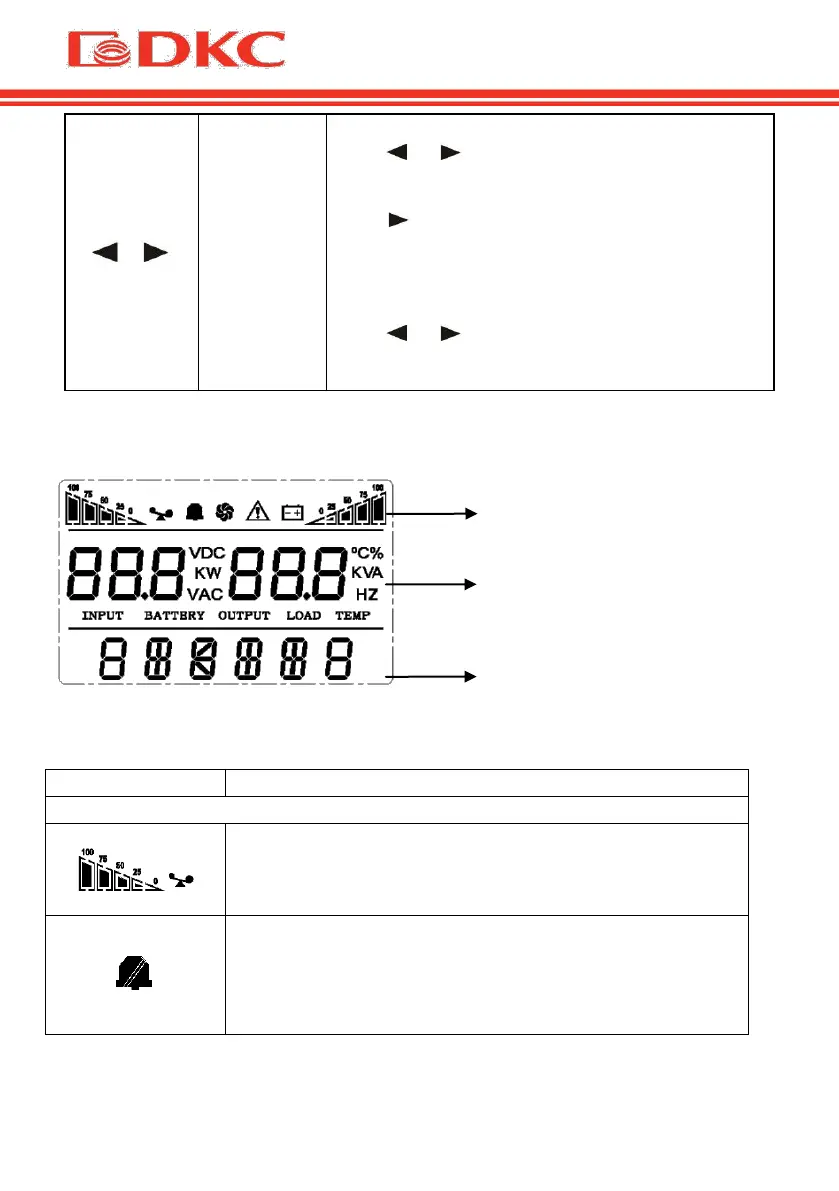
5.2 Display interface
Figure 10 – Display UPS parameters
Load icon: The approximate load capacity percentage
(0-25%, 26-50%, 51-75% and 76-100%) is indicated
by the number of load bar sections illuminated. When
UPS is overloaded, the load icon will flash.
Mute icon: Indicates the audible alarm is
disabled/mute.
Press the mute key in the battery mode, the mute icon
flash.


 To Next Page