91
7.2 Troubleshooting
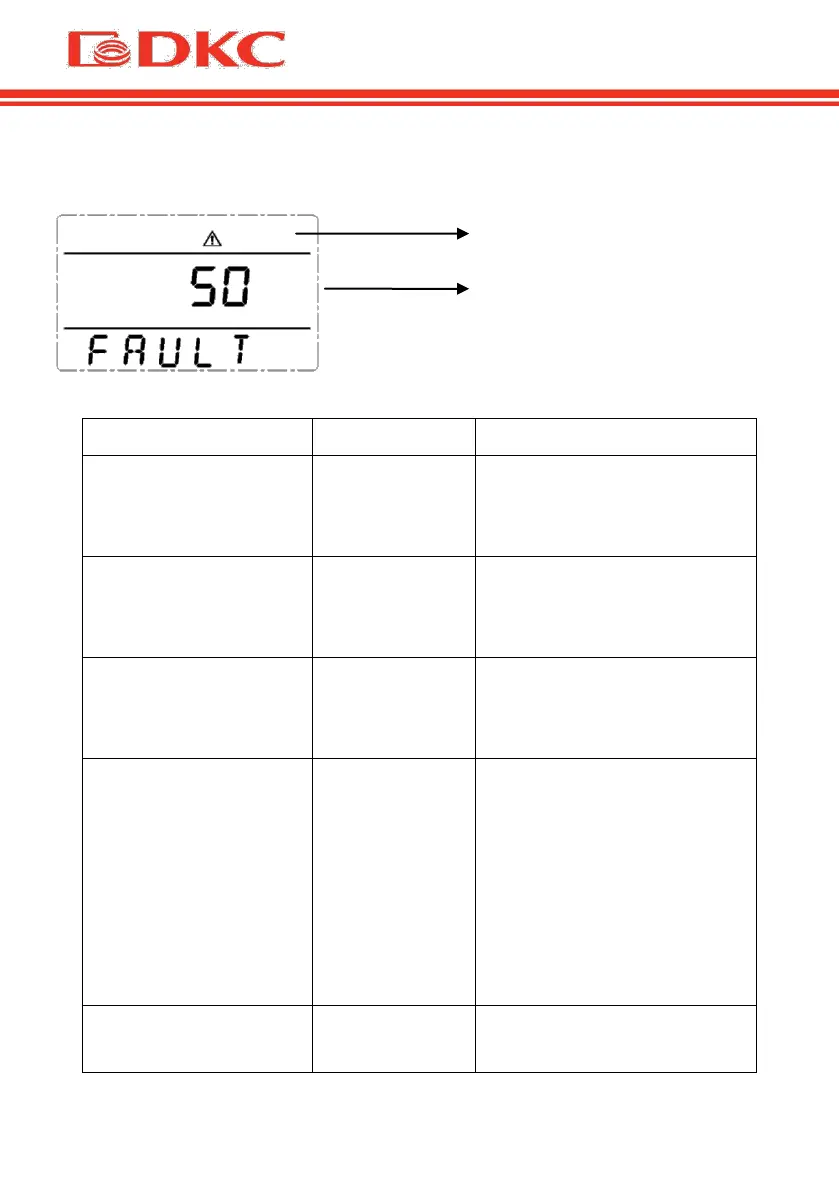
In fault mode, the UPS screen displays an error code:
Figure 12 – The UPS screen displays the code of an error
Fault icon display,
audible buzzer alarm
continually, the fault
code is 00-14
Test the bus bar voltage or
contact the supplier.
Fault icon display,
audible buzzer alarm
continually, the fault
code is15-24
Check the soft start circuit,
especially the soft start
resistance or contact the
supplier directly.
Fault icon display,
audible buzzer alarm
continually, the fault
code is 25-39
Fault icon display,
audible buzzer alarm
continually, the fault
code is 40-44
Be sure that the UPS are not
overloaded, and the fan vent
is not obstructed, as well as
the indoor temperature is not
high.
Leave alone the UPS 10
minutes for cooling, and
restart it. If the problem
persists, contact the
supplier.
Fault icon display,
audible buzzer alarm
Turn off the UPS and
disconnect all the loads. Be
Fault icon
mode, the
UPS
screen
displays
an error
code. In
error
mode, the
UPS
screen
displays
an error
code.


 To Next Page