67
4.6.2 External batteries connection
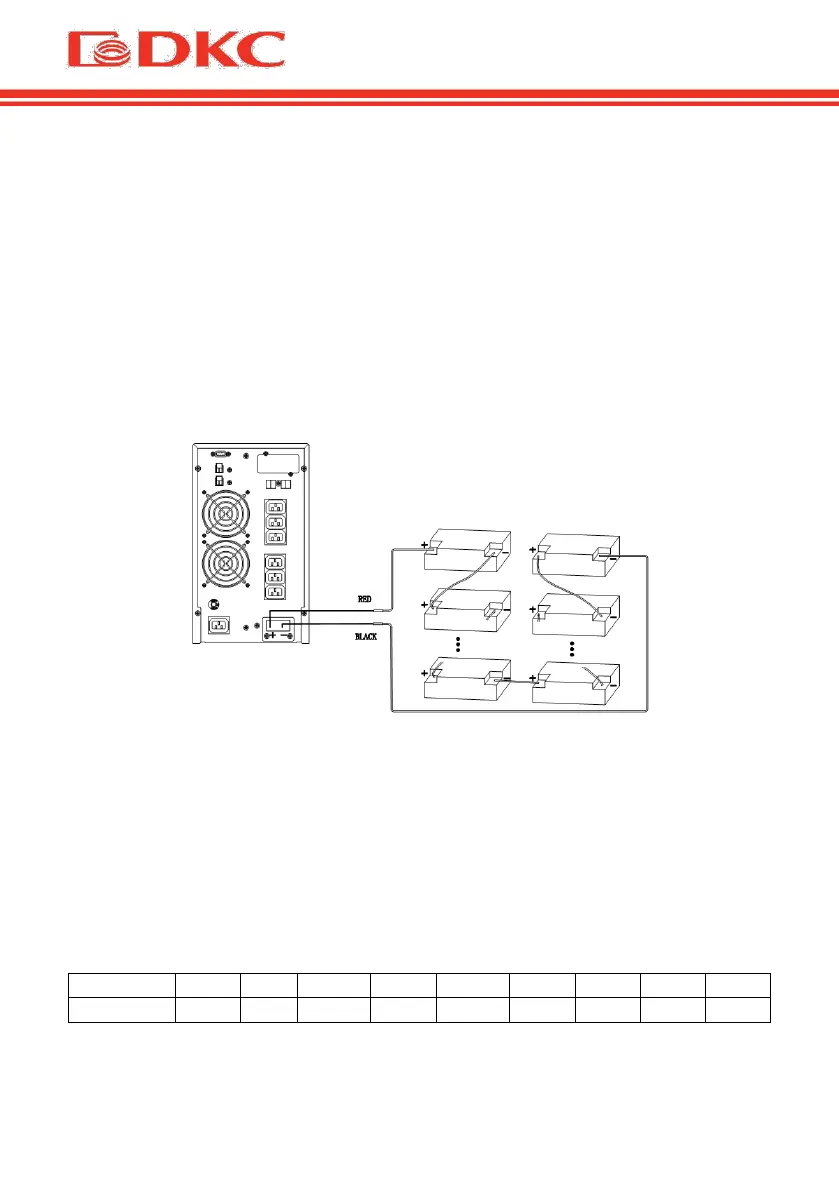
Carefully follow the instructions below to connect the external battery
correctly:
1. Ensure that the battery voltage is the same as the UPS battery voltage (see
section 4.1).
2. Take the supplied battery cable (model with a 6 Amps charger), connect one
end of the cable to the battery pack, and then connect the other end to the
UPS.
3. Before connecting, check the polarity of the cables using a specially
prepared measuring device.
Figure 4 – External batteries connection.
4.7 Network Functions
4.7.1 Communication port
Users could monitor the UPS system through the communication port such as
standard RS232 port and USB port with computer.
> RS232 port:


 To Next Page