88
Protect operation
for mains power
mode overload
Working mode displays
FAULT and the
corresponding codes
Warning for
battery overload
Working mode displays
bAT, load icon flash
Protect operation
for battery mode
overload
Working mode displays
FAULT and the
corresponding codes
Warning for
bypass mode
overload
Working mode displays
byPASS, load icon flash
all the time
Fan icon flash, working
mode displays
depending on current
mode
Working mode displays
FAULT, numerical value
area displays the
corresponding error code
Table 13. Working status messages
For maintenance and repair of the UPS, the user must provide the following
information:
UPS Model No. & Serial No.
Date of fault occurrence.
Fault details (LCD status, noise, AC power situation, load capacity, battery
capacity configuration ect.)
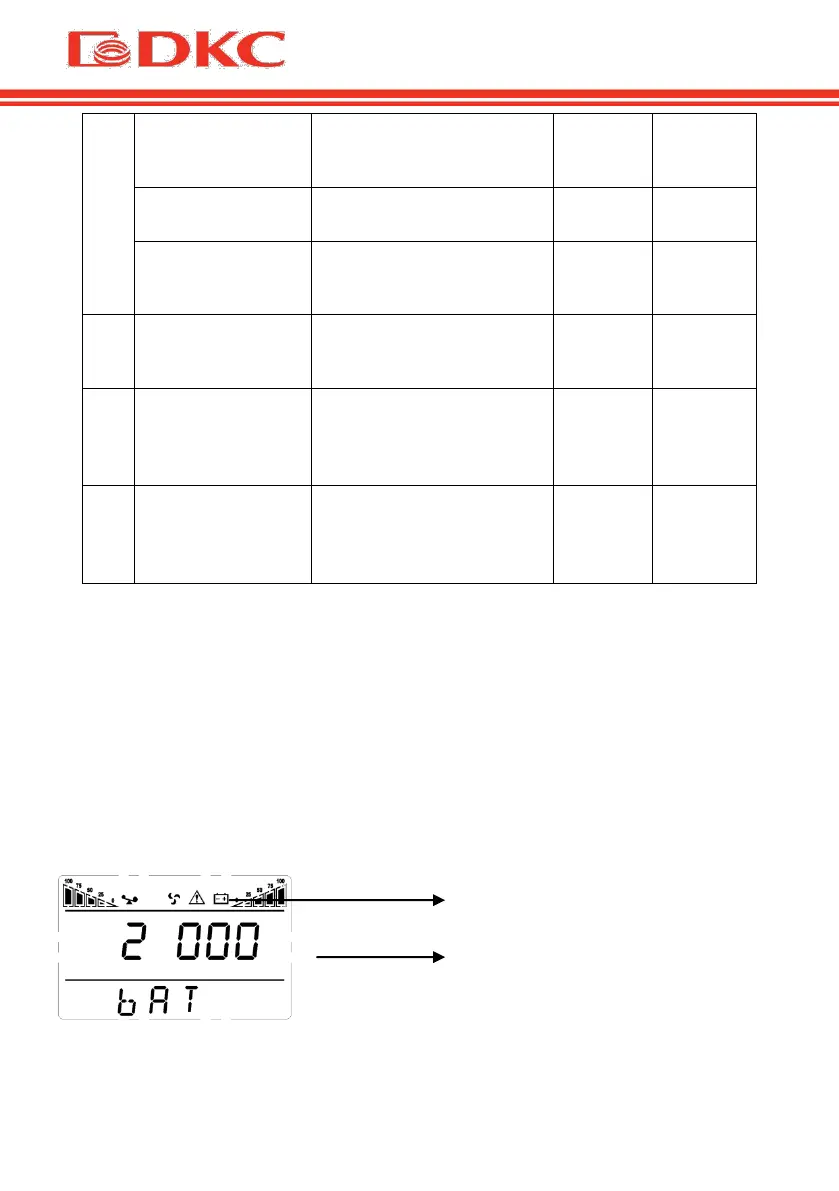
The alarm code will be displayed on the screen in four digits:
Figure 11 – Error Code on the UPS Screen


 To Next Page