OBU Manual
Version 3.0 August 27, 2020 13
Note: The personalization of the OBU requires a GNSS signal and GPRS connection. Please ensure a free view to
the sky (GNSS satellites).
Detailed information about the installation of the OBU is given in chapter 4 Installing the OBU.
You can find additional information and hints about the displayed information in chapter 7 Troubleshooting.
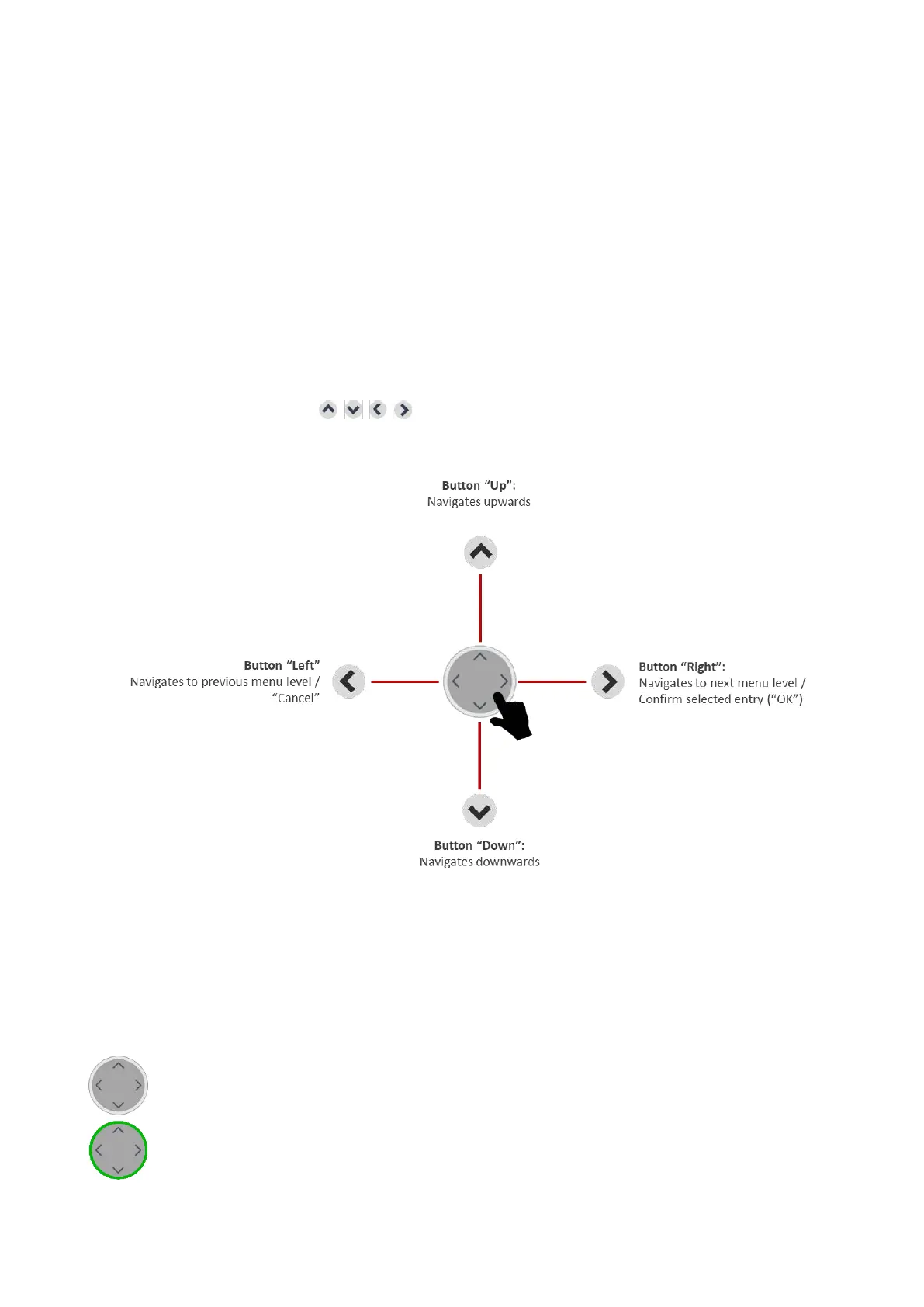
3.4 Navigation through the Menu
After the OBU has booted the start display is shown.
To retrieve the stored information use the navigation button to select various menu items and to scroll through
the different menus.
Opening the main menu (press key more than 2 seconds)
To enter the menu, press one of the four keys of the navigation button more than 2 seconds.
Figure 5: Menu navigation
3.5 Status Indicator and Signaling
The status indicator is the LED ring around the navigation button. Additionally, a buzzer signals the status of the
OBU acoustically. The status indicator supports the user while driving the vehicle and gives feedback on
different statuses.
OBU is switched off, or is in sleep mode, or in transport mode (see chapter 6.2).
The OBU is active and ready for operation.
You can drive. Please
note the indicated information in the display.


 To Next Page