OBU Manual
Version 3.0 August 27, 2020 20
5.2 OBU Parameter Settings
For the use of the EETS service dedicated vehicle parameters must be transmitted. They serve as the basis for
identification of the vehicle and the calculation of the toll amount. These include for example license plate
number, gross vehicle weight, emission class.
The initial customer registration for the EETS service is done by the Service Partner. The transmission of the
necessary data to DKV takes place automatically during the personalization of the OBU. In some cases, domain
specific OBU parameters have to be updated by the driver during his trip. These will be explained in the
following.
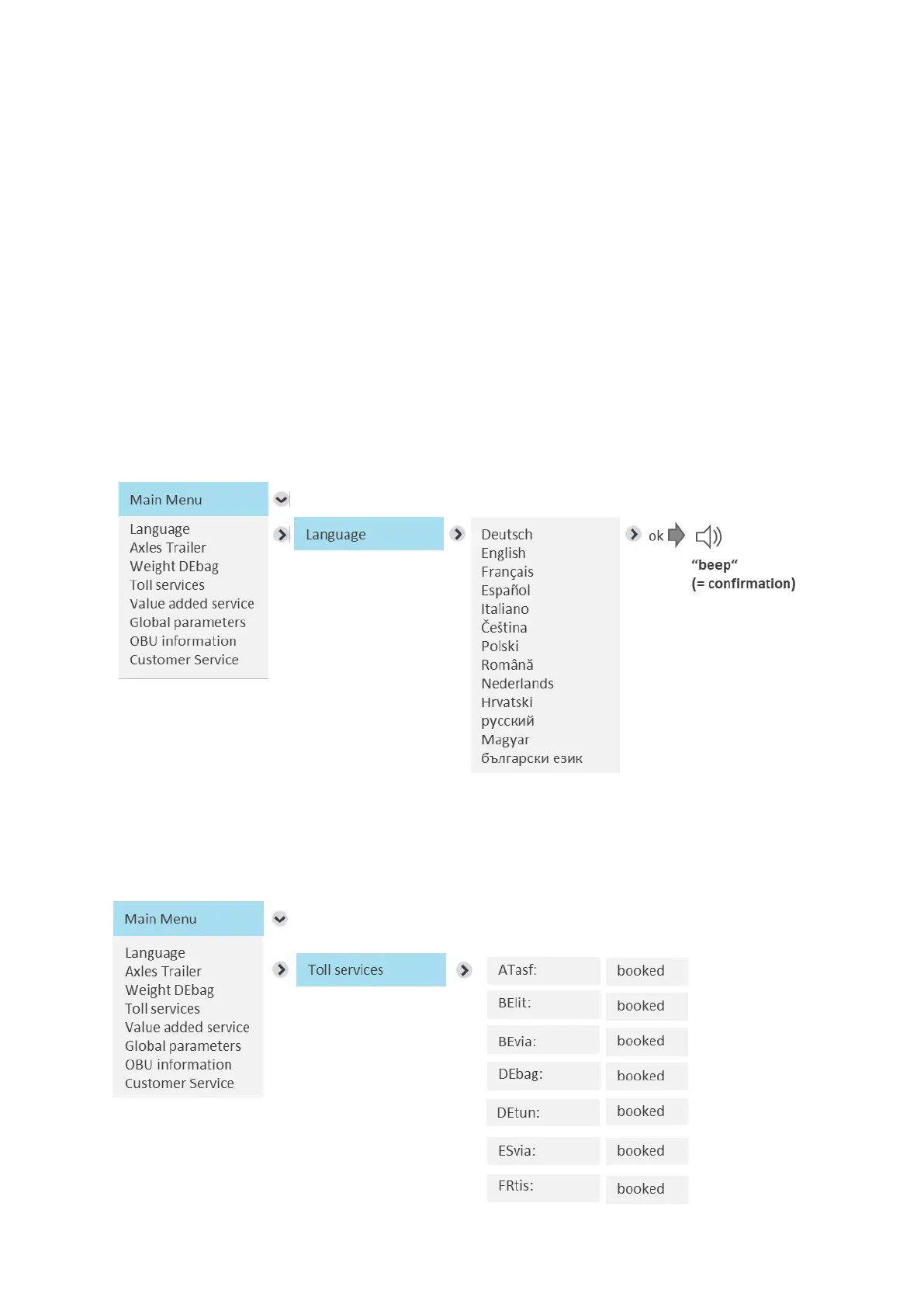
The examples below show how the driver can browse through the OBU menu in order to find relevant
information and how he can enter and update information. Only the tarif relevant parameters are shown in
each sub menu per toll service.
Select language
After choosing the desired language, press right key for “ok” (= save value). A signal will confirm the correct
saving and the language will change.
Show activated Toll services


 To Next Page