OBU Manual
Version 3.0 August 27, 2020 22
Here the weight is changed from less than 7.5t to between 7.5 and 12t due to changing the trailer. After
updating the value, press right key for “ok”. Leave the menu by pressing two times the left key to come
back to the start display.
You can also use this menu to only check the currently set weight. If you do not want to change it, leave the
menu by pressing the left key without pressing “ok”. If you press left key without saving and the weight has
been modified, an information screen will be displayed for some seconds: “Value not changed” and the old
value is kept.
5.3 Look-up of OBU Parameter per Toll service
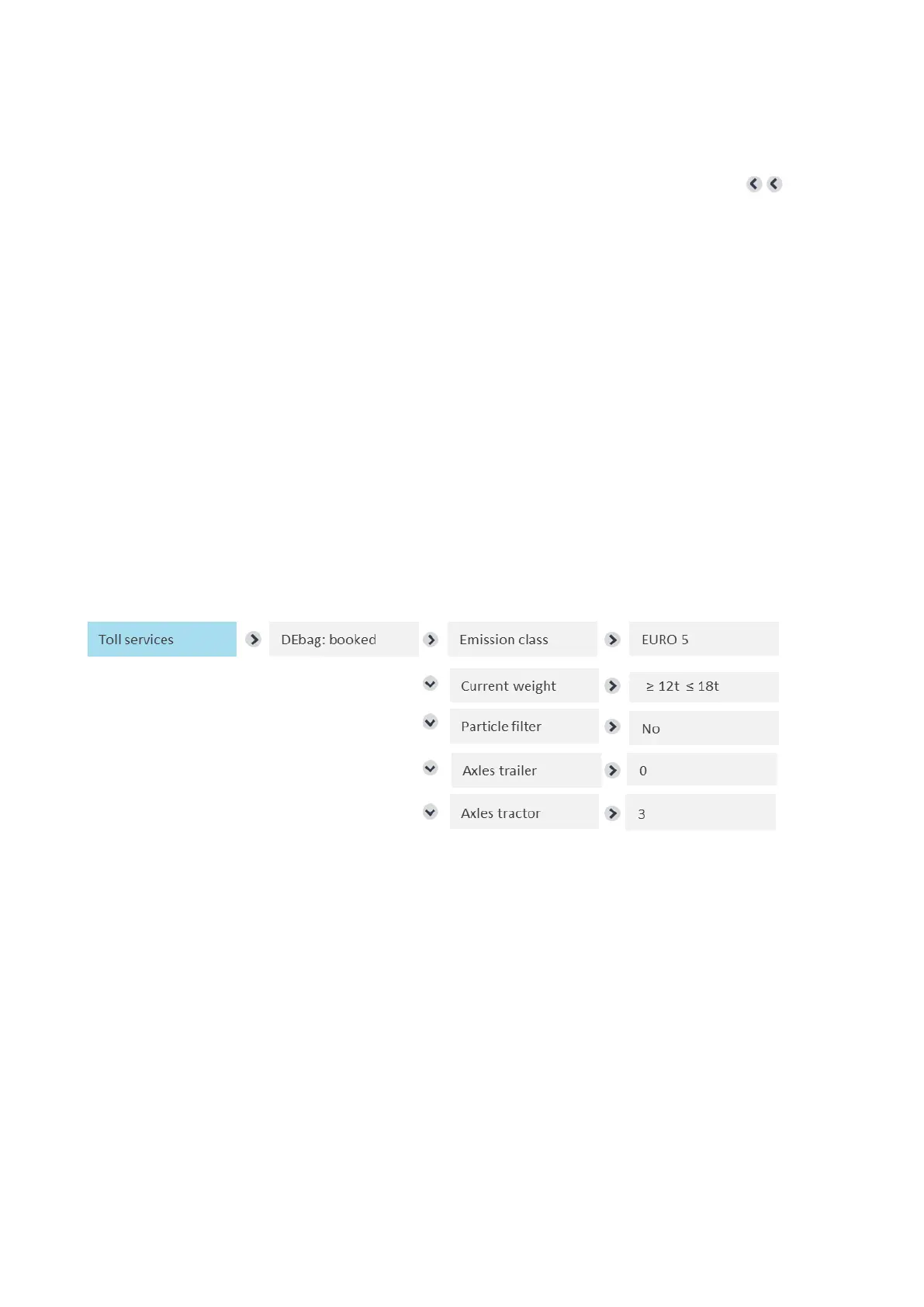
All toll relevant vehicle parameters for service Germany (DEbag) can be looked up in the toll services menu as
shown below.
Info: For the values not set by the user as emission class, number of axles tractor or particle filter the entry of
the values is done initially by the Service Partner and cannot be adjusted via the OBU.
Details of the particle filter are displayed with yes / no. A "yes" is displayed, if the specified particle filter is toll-
relevant. A "No" is displayed, if the registered particle filter has no effect on the toll calculation.
Show vehicle parameters - Toll service Germany (DEbag)
For the toll service Germany (DEbag) the user needs to change the following parameters on the OBU as de-
scribed in chapter 5.2:
• “Current weight”, so the current gross train weight (GTW)
• and the number of “trailer axles” used at the time of driving.


 To Next Page