9000 Series Installation and Programming Guide | Digital Monitoring Products, Inc. 9
Mount the Keypad
All DMP keypads are designed to install on any desk stand, 4” plastic square box,
3-gang plastic switch box, or a flat surface. Do not install the keypad near metal
objects or other sources of interference.
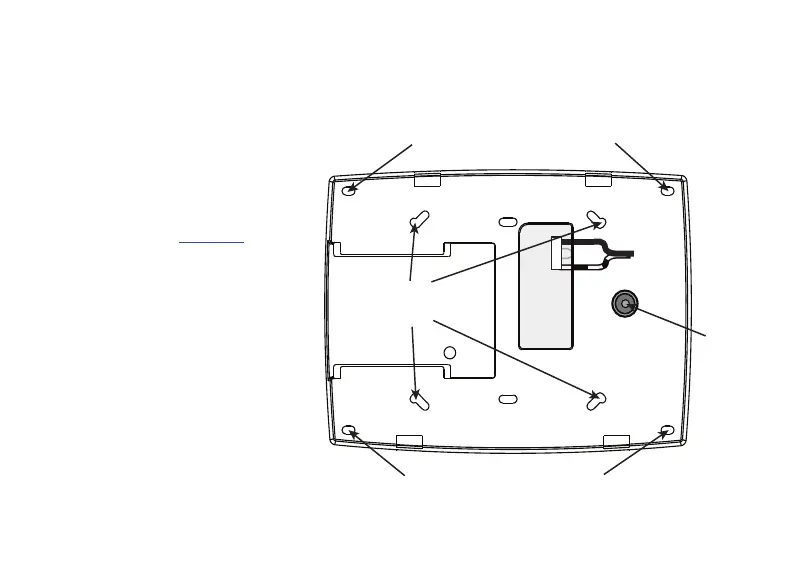
Insert the included screws
into the mounting holes and
secure the keypad to the
wall, ensuring that the wall
tamper switch makes proper
contact. See Figure 3.
2
Black (-)
Black/White
stripe (+)
Wall
Tamper
Surface and Backbox Mounting Holes
Surface and Backbox Mounting Holes
Combined 4-Square and
3-Gang Switch Box
Mounting Holes
Figure 3: Mounting Holes on Keypad Back










 To Next Page