9000 Series Installation and Programming Guide | Digital Monitoring Products, Inc. 29
Keypad Arming and Disarming
Area System Type
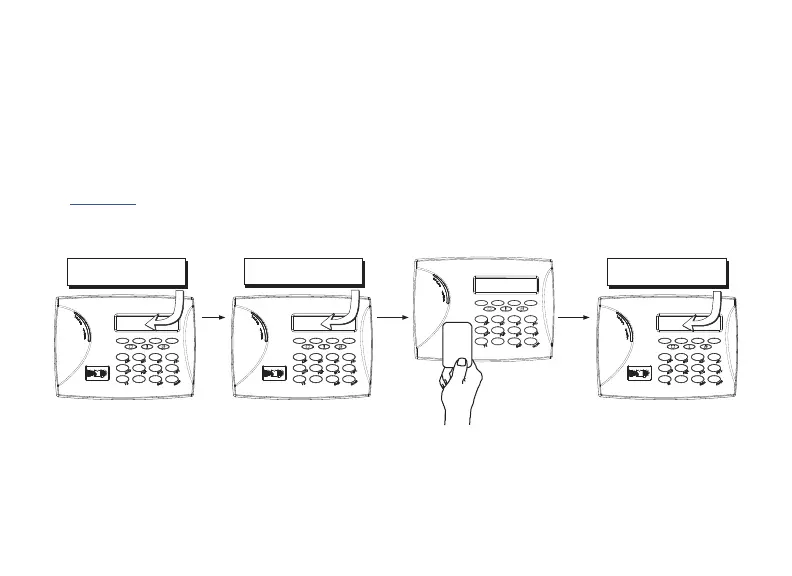
1. Press CMD until the keypad displays ARM DISARM.
2. Press the select key under the preferred option.
3. The keypad displays ENTER CODE: -. The user presents their card to the reader.
Once validated by the system, all areas assigned to that code arm or disarm automatically.
See Figure 6.
Figure 6: Area Arming and Disarming
ABC SECURITY
ARM DISARM
ABC SECURITY
ENTER CODE: –
ABC SECURITY
ALL? NO YES
Select NO to arm or disarm individual areas.
Select YES, or simply wait, to automatically arm or disarm all areas for which you are authorized.










 To Next Page