
 Need help?
Do you have a question about the DMTech FP9000A and is the answer not in the manual?
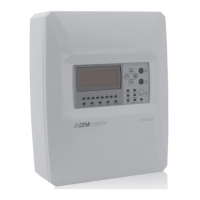
Overview of the addressable fire alarm panel and its communication protocol.
Describes the front panel, display, buttons, and LED indicators.
Key specifications including loops, device capacity, outputs, and operational environment.
Specifies conditions like temperature, humidity, and protection degree for panel operation.
Details earthing requirements and main power supply information.
Information on backup battery supply, load capacity, and voltage/frequency requirements.
Specifies fuse types and lists the items included in the system package.
Guidance on selecting a location and physically mounting the fire alarm panel.
Details front panel components: indicators, display, buttons, navigation, module placement, PCB, and power connections.
Instructions for connecting various devices to the panel, including loops and conventional lines.
How to connect signaling devices to monitored outputs.
Diagram showing the overall structure of panel programming menus.
Detailed description of the LIST menu options for system information.
Detailed description of SYSTEM FUNCTIONS for configuration and testing.
Detailed description of SETUP menu options for panel configuration.
Explains auto and manual addressing modes for devices.
Steps for performing auto or manual device addressing.
Instructions for assigning custom names to individual devices.
Manage zones, assign devices, and configure zone parameters.
Manage zone devices, outputs (delayed/immediate), panel outputs, and inputs.
 General
| Brand | DMTech |
|---|---|
| Model | FP9000A |
| Category | Security System |
| Language | English |

 To Next Page