DMXking.com • JPK Systems Limited • New Zealand
0128-700-4.0
10
Number of physical pixels in the string. Maximum depends on number of channels per pixel
which depends on the Color Order setting. RGB = 680, RGBW = 512, 2ch = 1024, 1ch = 2048,
Raw I+3ch = 512, RGB 16bit = 340, RGBW 16bit = 256.
Number of pixels to ignore at the start of the pixel strip. Minimum 0. Maximum 16.
Commonly used to extend the drive distance from source to the first active pixel.
DMX channel mapping to pixel elements. RGB, RBG, GRB, GBR, BRG, BGR, raw 1/2/3/4/5ch,
2ch swapped, RGBW, WRGB, WRBG, GRBW, Raw I+3ch, Raw 3ch 16bit, Raw 4ch 16bit, RGB
16bit, RGBW 16bit.
sACN/Art-Net Universe number pixels are mapped to.
DMX512 channel number pixel data starts from.
Multiple sequential pixels can be mapped to a channel group. Set to 255 for ALL pixels
regardless of actual Pixel Count.
Reverses pixel direction every N pixels.
Reverse makes pixel 1 appear at the far end of the strip.
Alternate sACN/Art-Net Universe number pixels are mapped to.
Alternate DMX512 channel number pixel data starts from.
Alternate Pixel Group Size
Alternate map. Multiple sequential pixels can be mapped to a channel group. Set to 255 for
ALL pixels regardless of actual Pixel Count.
Alternate Reverses pixel direction every N pixels.
Alternate map. Reverse makes pixel 1 appear at the far end of the strip.
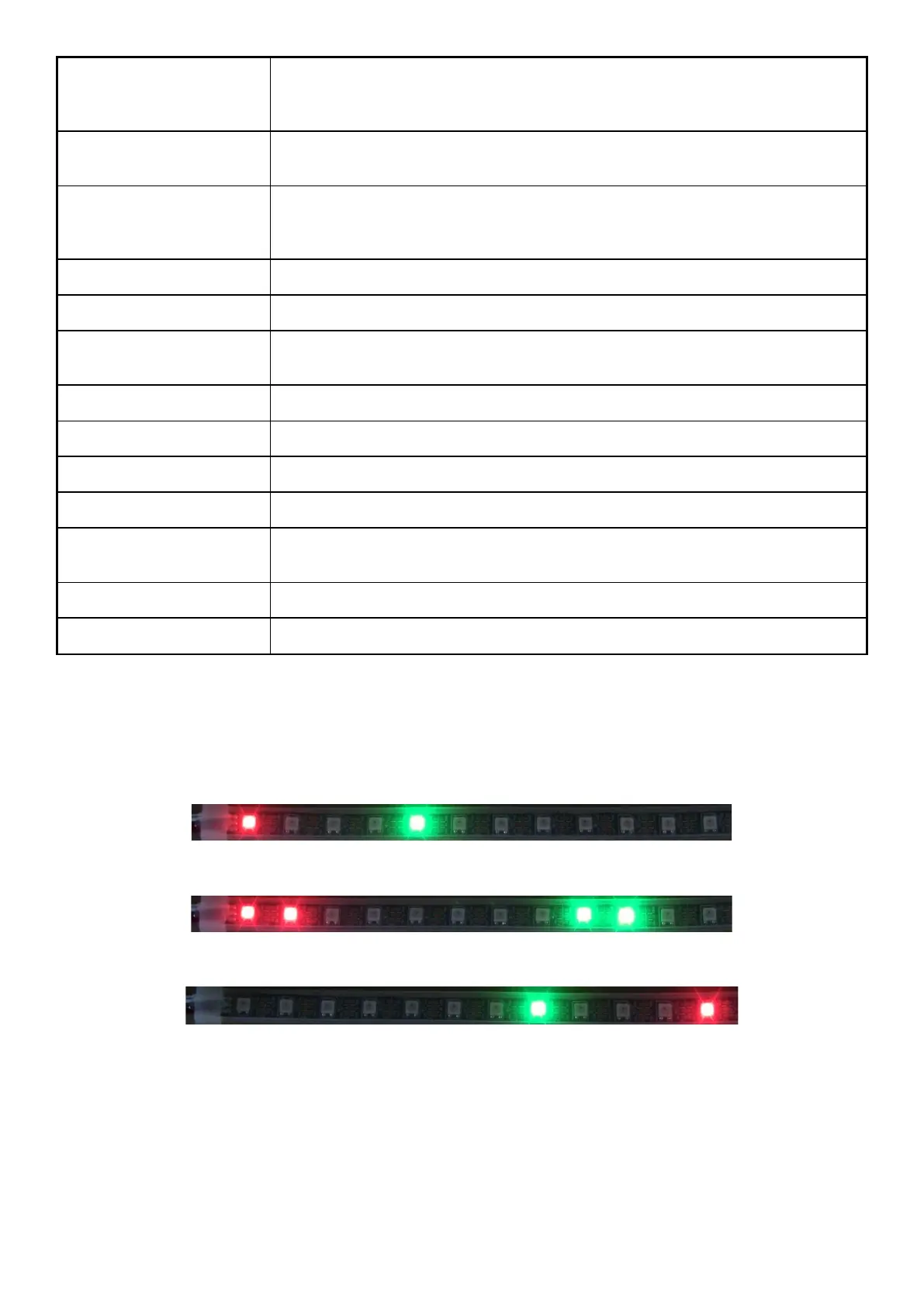
Some examples of Full Mapping from source DMX512 data ch1 = Full (Pixel 1 Red), ch14 = Full (Pixel 5 Green). Port 1 configured
with Pixel Count = 12, Null Pixels = 0, Start Universe = 1, Start Channel = 0.
Pixel Group Size = 1
Pixel Group Size = 2
Reverse Order. Pixel Group Size = 1



 To Next Page