DMXking.com • JPK Systems Limited • New Zealand
0128-700-4.0
14
DMX DISPLAY FUNCTION
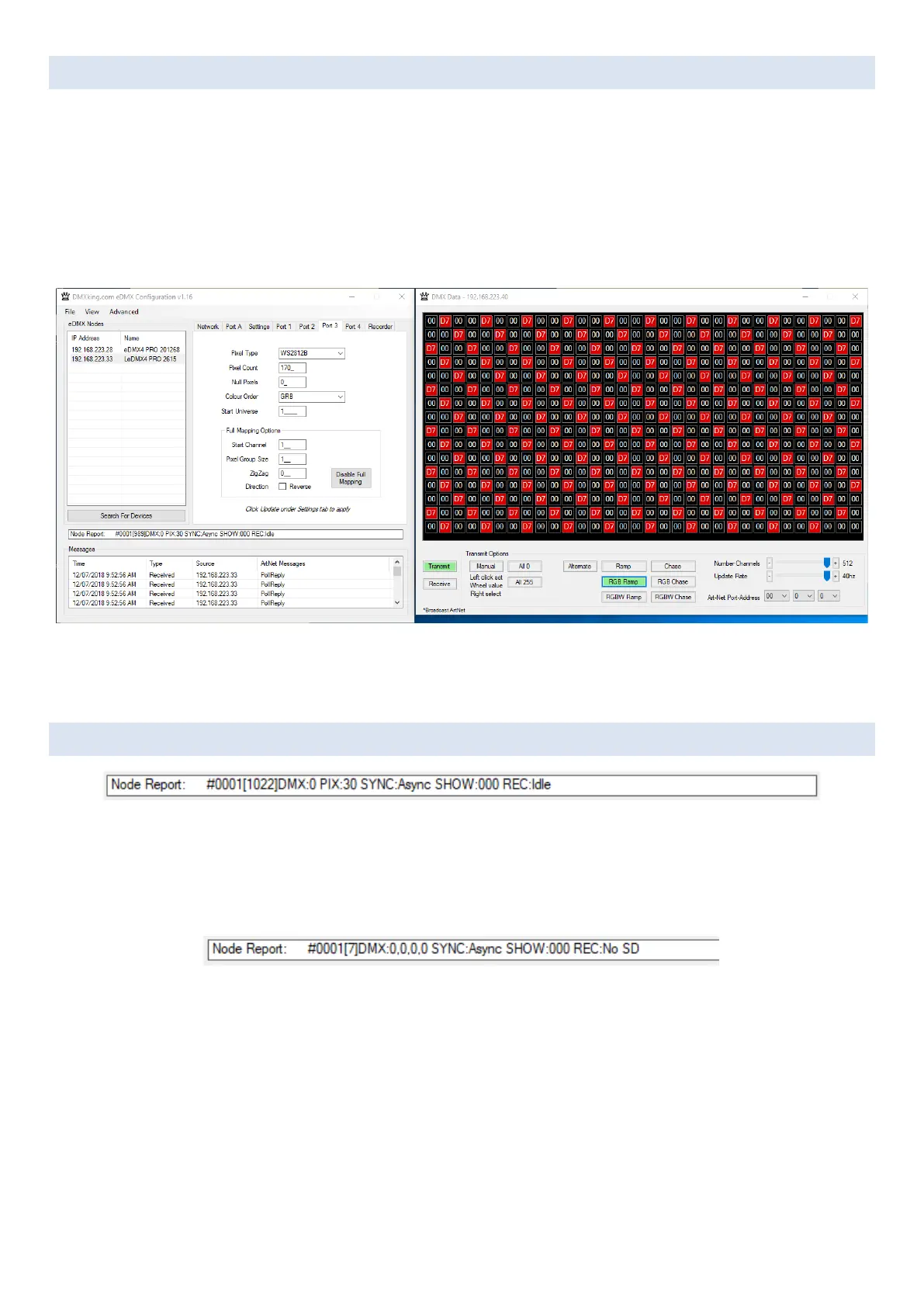
Select View | DMX Display for a simple DMX512 test utility. To generate an Art-Net output stream click Transmit then select one
of the 10 Transmit Options and change Art-Net Universe as applicable. When in Manual mode you can click on any of the channels
(represented by small boxes with hexadecimal channel level inside) to set ON level and double click to set zero. The mouse scroll
wheel adjusts a channel by a defined increment. Channel number increases left to right, top to bottom and the roaming tool tip
provides information about a specific channel.
Both the ON level and mouse wheel step can be set by right clicking anywhere within the black display area. Number of channels
transmitted and the refresh rate can be adjusted using the applicable sliders adjacent to transmit options.
The DMX Display utility works with any manufacturers Art-Net hardware and can be useful for diagnostics and simple testing of
DMX512 fixtures. In Receive mode only Art-Net I broadcast traffic is supported. To display channel data from an eDMX/LeDMX
DMX-In port you must configure Broadcast Threshold to 0 otherwise Art-Net messages will be unicast.
NODE REPORT
Node provides a brief status report indicating DMX frame rates, PIXel output rate, SYNC status, SHOW playback selection and
RECorder status.
Above an LeDMX2 MAX reports Port A at 0fps, Pixel output at 30fps with no synchronization present (Async mode) and the
recorder state Idle.
In the example above the recorder status indicates there is No SD card present.



 To Next Page