DMXking.com • JPK Systems Limited • New Zealand
0128-700-4.0
6
eDMX Node configuration can be saved/loaded from a simple Key:Value YML file. Select the node and perform Load/Save
accessible in the File menu. Configuration files can be loaded from a file named “conf.yml” on the SD card however updates
made to configuration are not currently saved by the node back to the conf.yml file. This is intended as a deployment
mechanism where complete device configuration and show content can be prepared externally on an SD card.
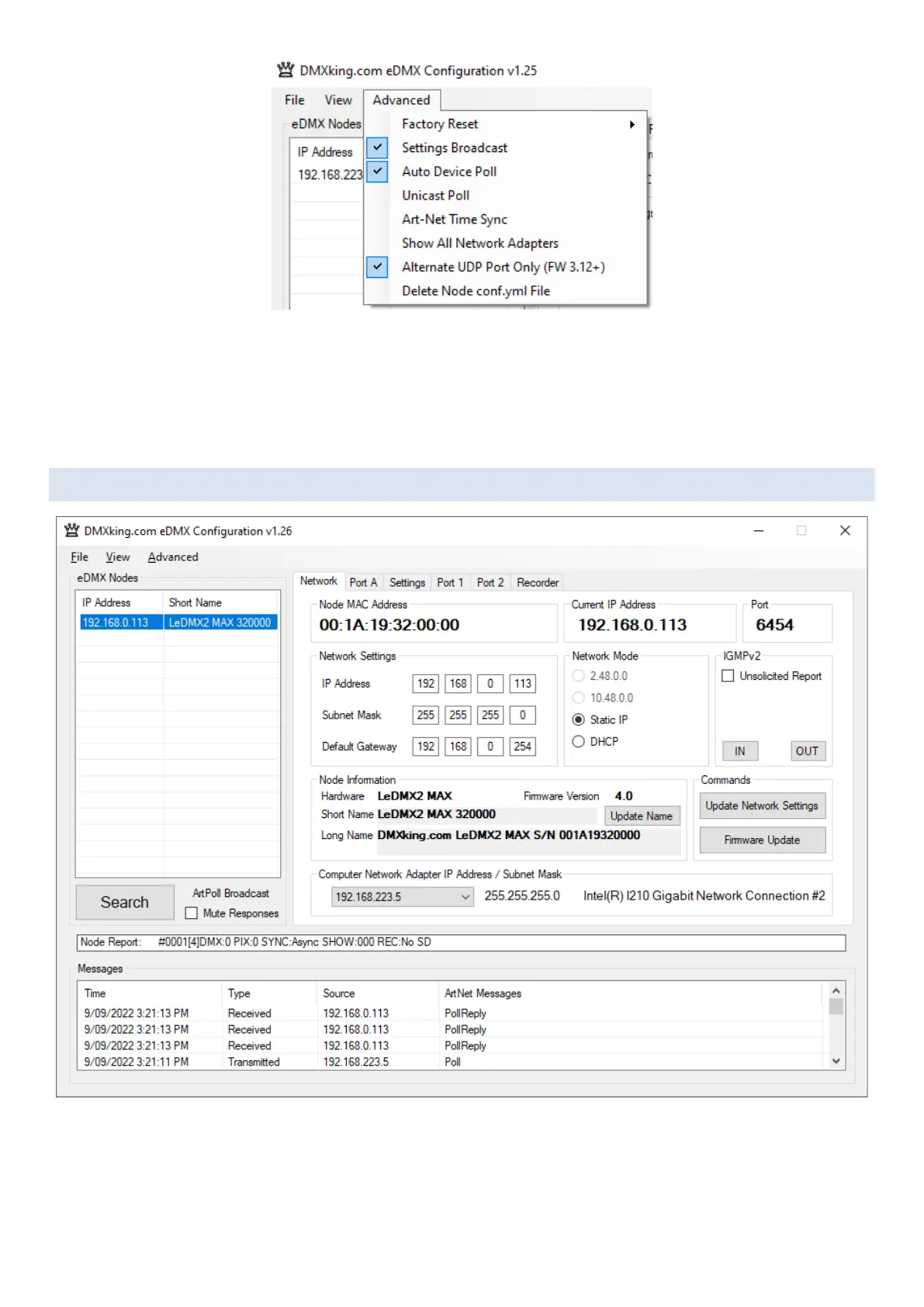
NETWORK TAB
eDMX Configuration can find and configure eDMX MAX hardware on different IP subnets from the computer network adapter.
There are some functions such as the Recorder that require both devices on the same IP subnet range e.g., Computer IP
192.168.0.100 Subnet 255.255.255.0 Gateway 192.168.0.254 when eDMX MAX is on default IP.



 To Next Page