DNP Photo Imaging America Corp. 3
Cleaning the Platen Roller Maintaining the Printers
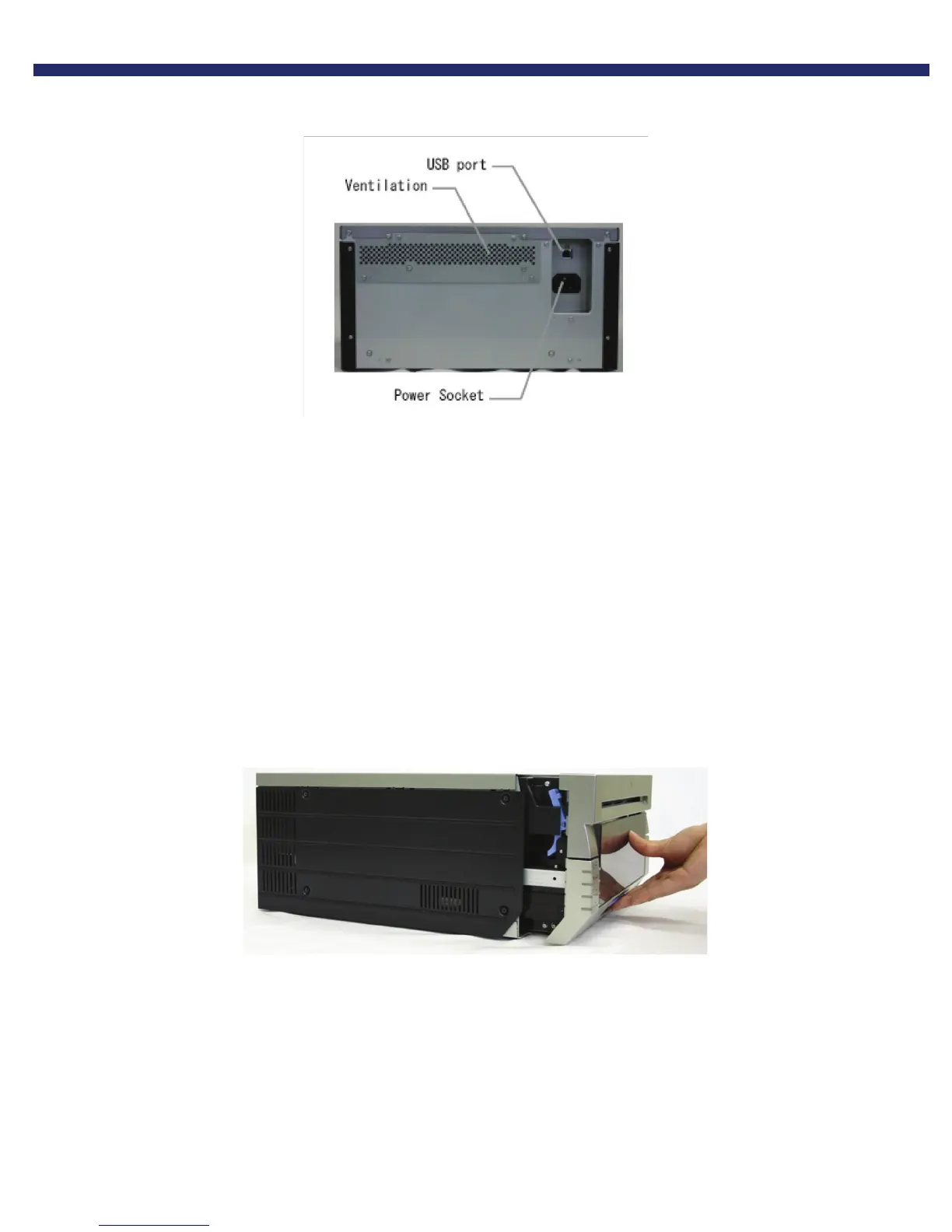
2. The exhaust for the printer is located near the top of the back plate, as indicated in the illustration below:
Figure 12. Ventilation Port
3. Wipe the dust from the unit using a cloth designed for dusting electronics, or use canned air to blow the dust from the
back of the unit.
4. Replace any cables you may have had to disconnect to access the back of the printer, and put the printer back in
place.
5. Power the unit ON.
You have now cleaned the dust from the ventilation unit.
CLEANING THE PLATEN ROLLER
If any impressions appear regularly in the same place on the prints, on either the front or back, you will need to clean the
platen roller. There could be powder, paper scraps, or other debris stuck to the roller.
1. Pull out the mechanism unit by lifting the blue handle beneath the scrap box, and pulling gently.
Figure 13. Pulling the Mechanism Unit



 To Next Page