DNP Photo Imaging America Corp. 1
2
INSTALLING MEDIA
DS-40 AND DS-80 PRINTERS
Use the following procedures with your DS40 and DS80:
Installing the Paper Roll
Its is a good idea to check that there is enough paper in the printer to meet anticipated demand.
Avoid touching the surface of the paper. Excessive fingerprints or smudges can lead to poor print
quality.
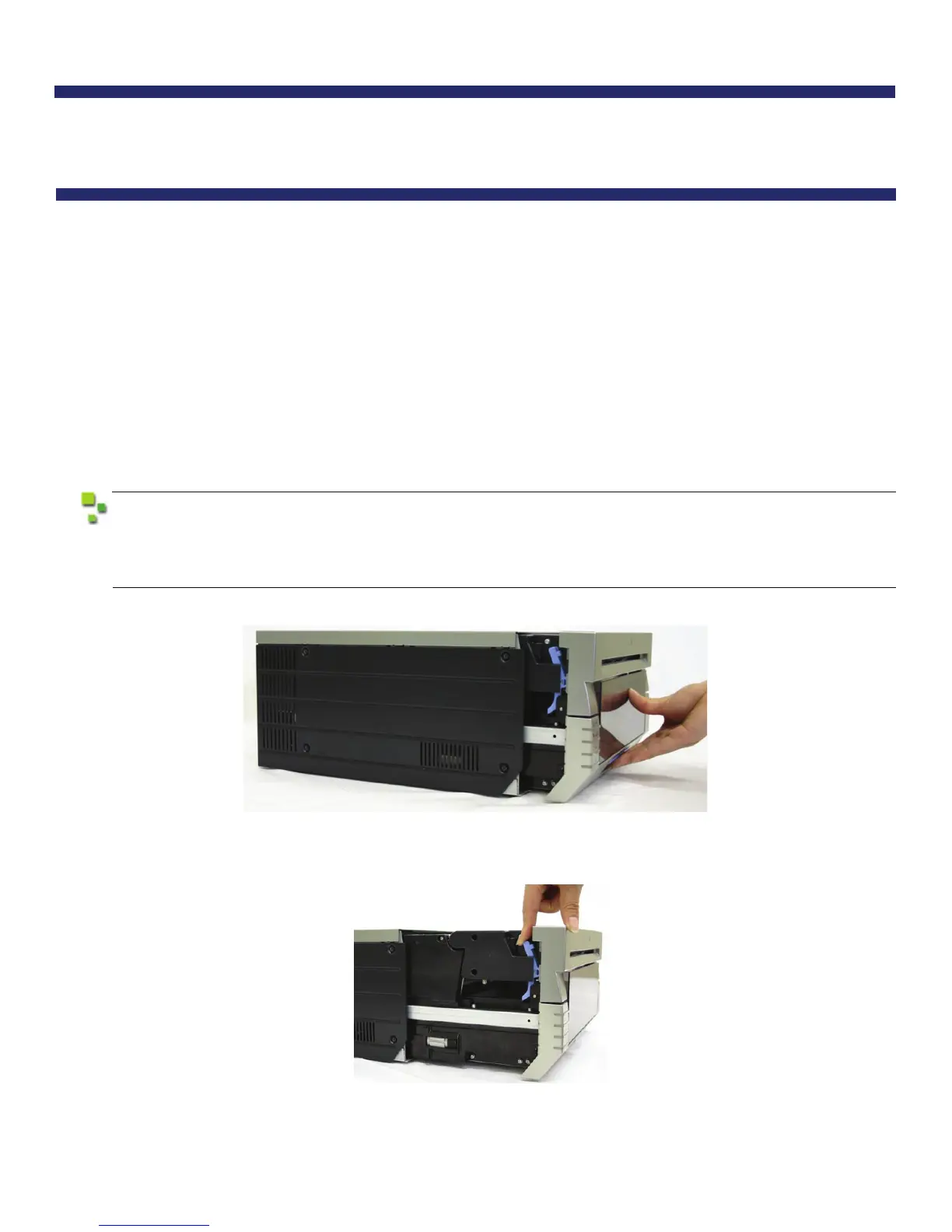
1. Pull out the mechanism unit by lifting the blue handle beneath the scrap box, and pulling gently.
Figure 2. Pulling the Mechanism Unit
2. Free the paper release lever.
Figure 3. Paper Release Lever



 To Next Page