DNP Photo Imaging America Corp. 5
If the ribbon is torn or has been pulled into the mechanism: Troubleshooting
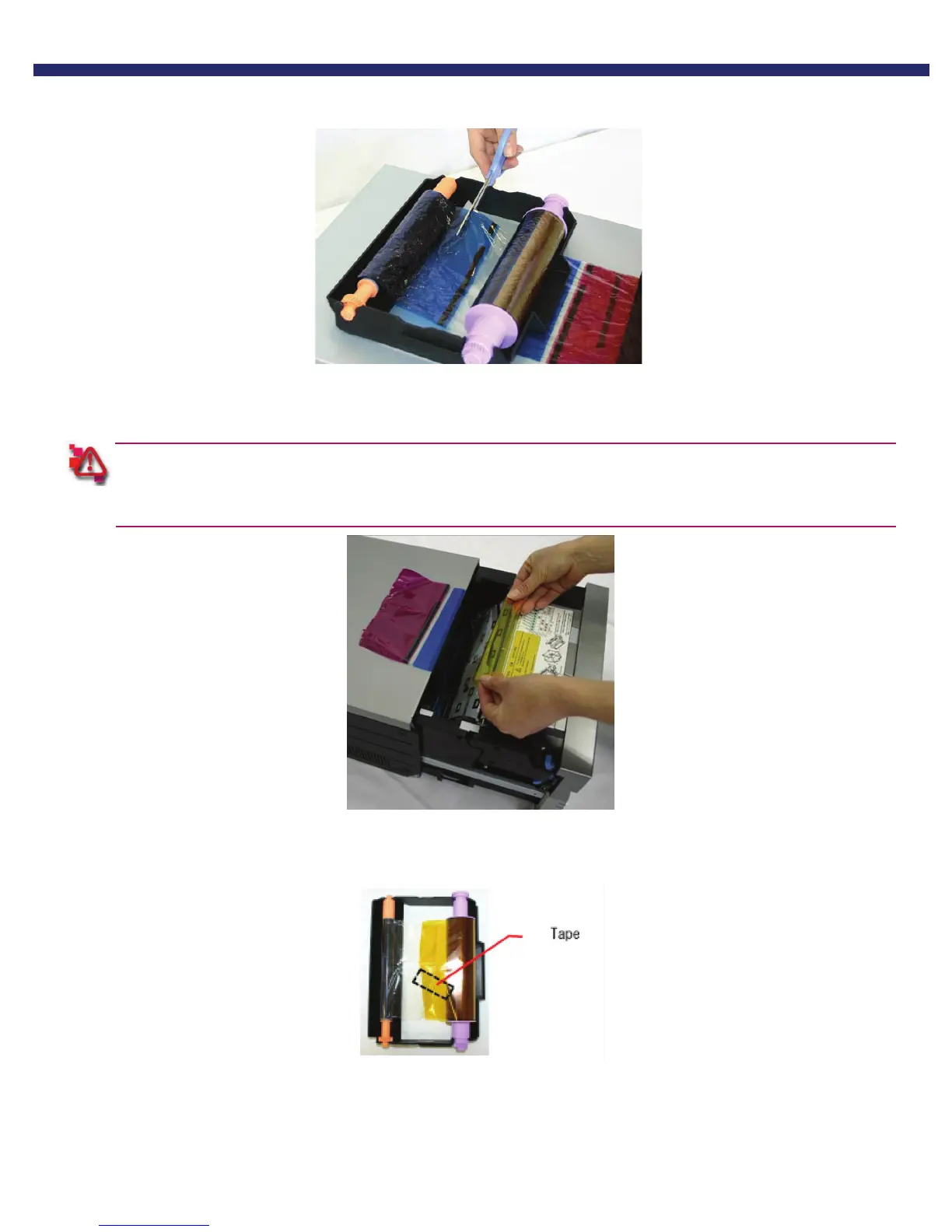
3. Cut the ribbon.
Figure 29. Cutting the ribbon
4. Carefully remove the remaining ribbon from inside the mechanism.
If the ribbon is torn or left in the printer, it could affect print quality.
You may need to clean the platen roller (see Cleaning the Platen Roller).
Figure 30. Removing the Ribbon
5. Reattach the ribbon using clear or cellophane tape.
Figure 31. Placing the tape



 To Next Page