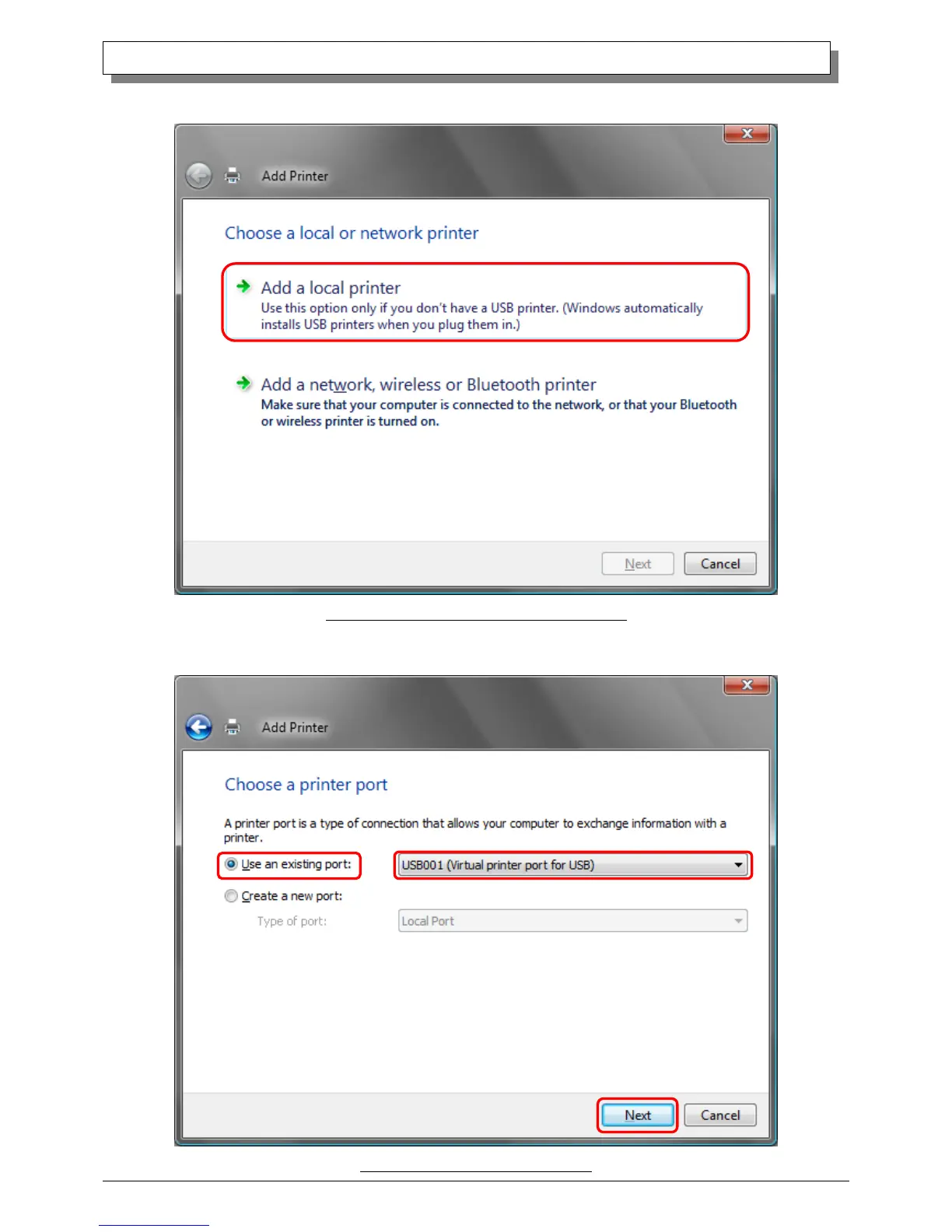
When the “Choose a local or network printer” window appears, click on “Add a local printer”.
Fig 1.11 Choose a local or network printer window
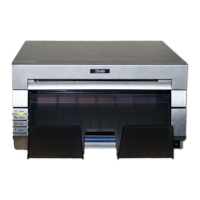
When the “Choose a printer port” window appears, select “Use an existing port:”, and select the USB port the printer is connected to
(for example, “USB001”) from the drop-down list, and click the “Next” button.
Fig 1.12 Choose a printer port window


 To Next Page