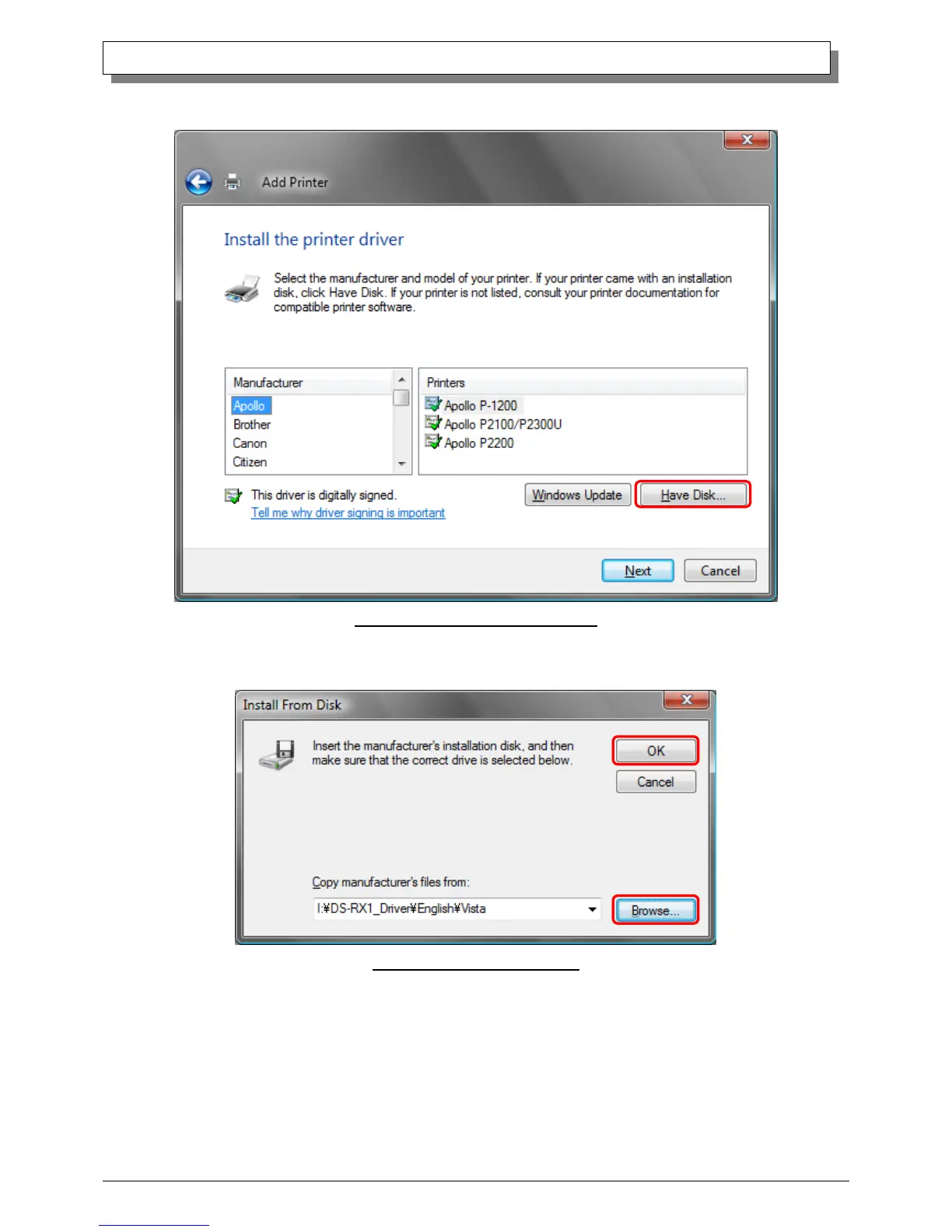
When the “Install the printer driver” window appears, click on the “Have Disk...” button.
Fig 1.13 Install the printer driver window
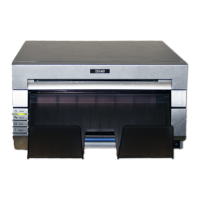
When the “Install From Disk” window appears, use “Browse...” to designate the installation disk location, and click the “OK” button.
Fig 1.14 Install From Disk window


 To Next Page