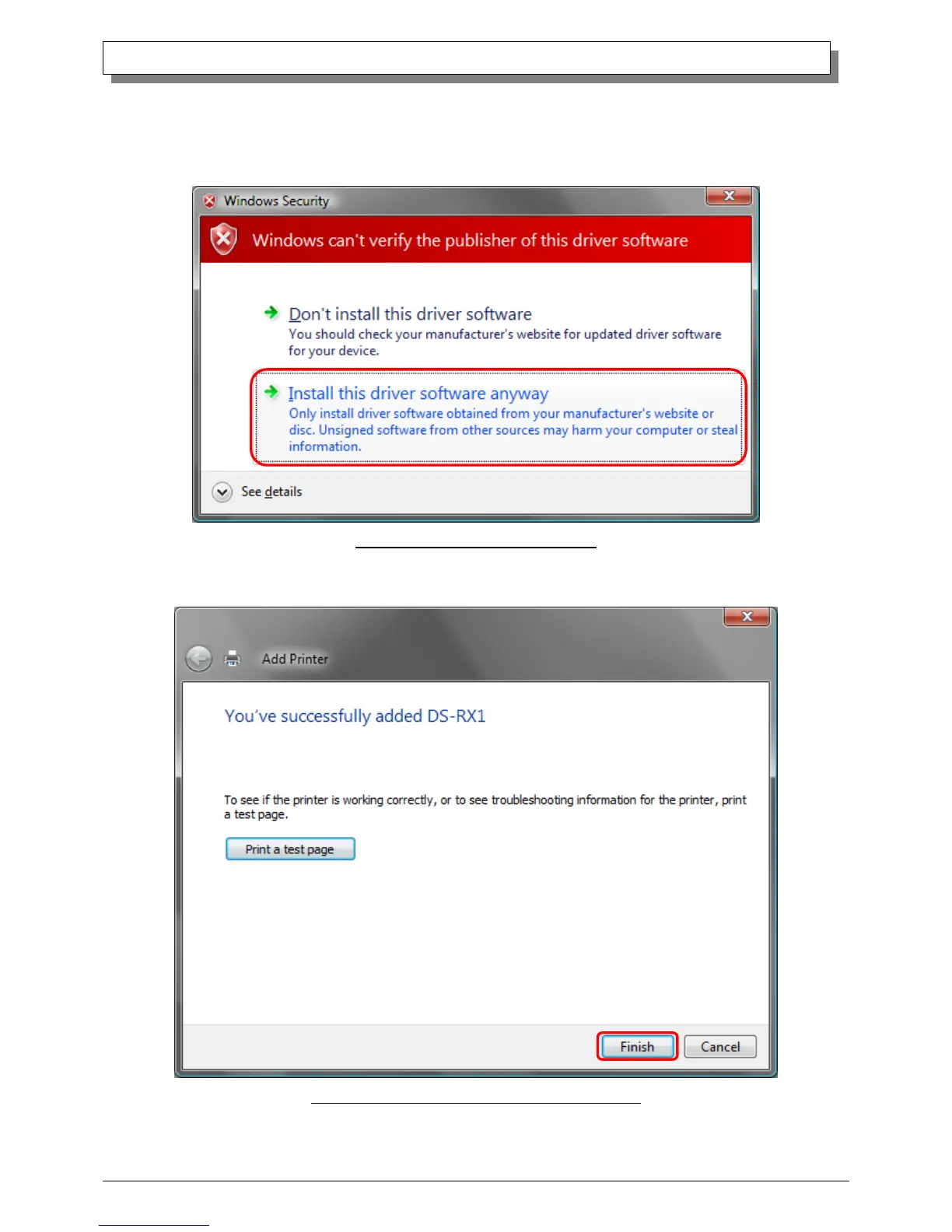
Note)Insallation will begin, but the User Account Control will request confirmation with the message “Install this driver software
anyway”. Click on “Continue”.
When the Windows Security window appears, click on “Install this driver software anyway”.
Fig 1.17 Windows Security confirmation
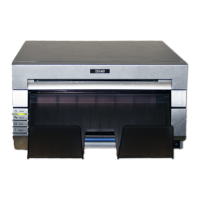
When the message “The software for this device has been successfully installed”, click on “Finish”.
Fig 1.18 DS-RX1 driver has been successfully installed


 To Next Page