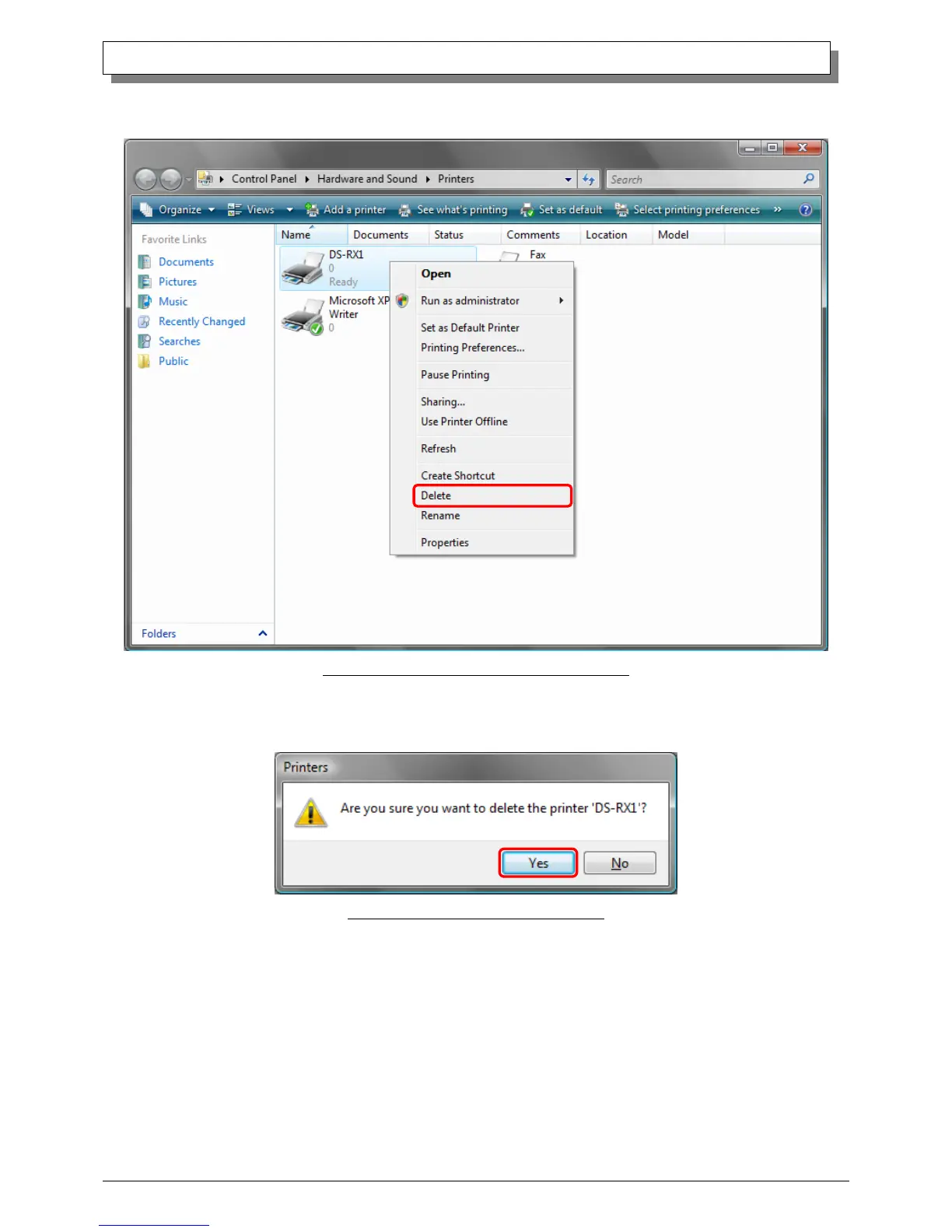
(2) Select “Start”–“Control Panel”, and click on “Printer” in the control panel. From the “Printer” window, select the DS-RX1
printer, display the pull-down menu with the right click, and click on “Delete”.
Fig 3.1 Printer window; DS-RX1 right-clicked menu
(3) When “Are you sure you want to delete the printer `DS-RX1`?” appears, click on “Yes”.
Fig 3.2 Delete Printer confirmation window



 To Next Page