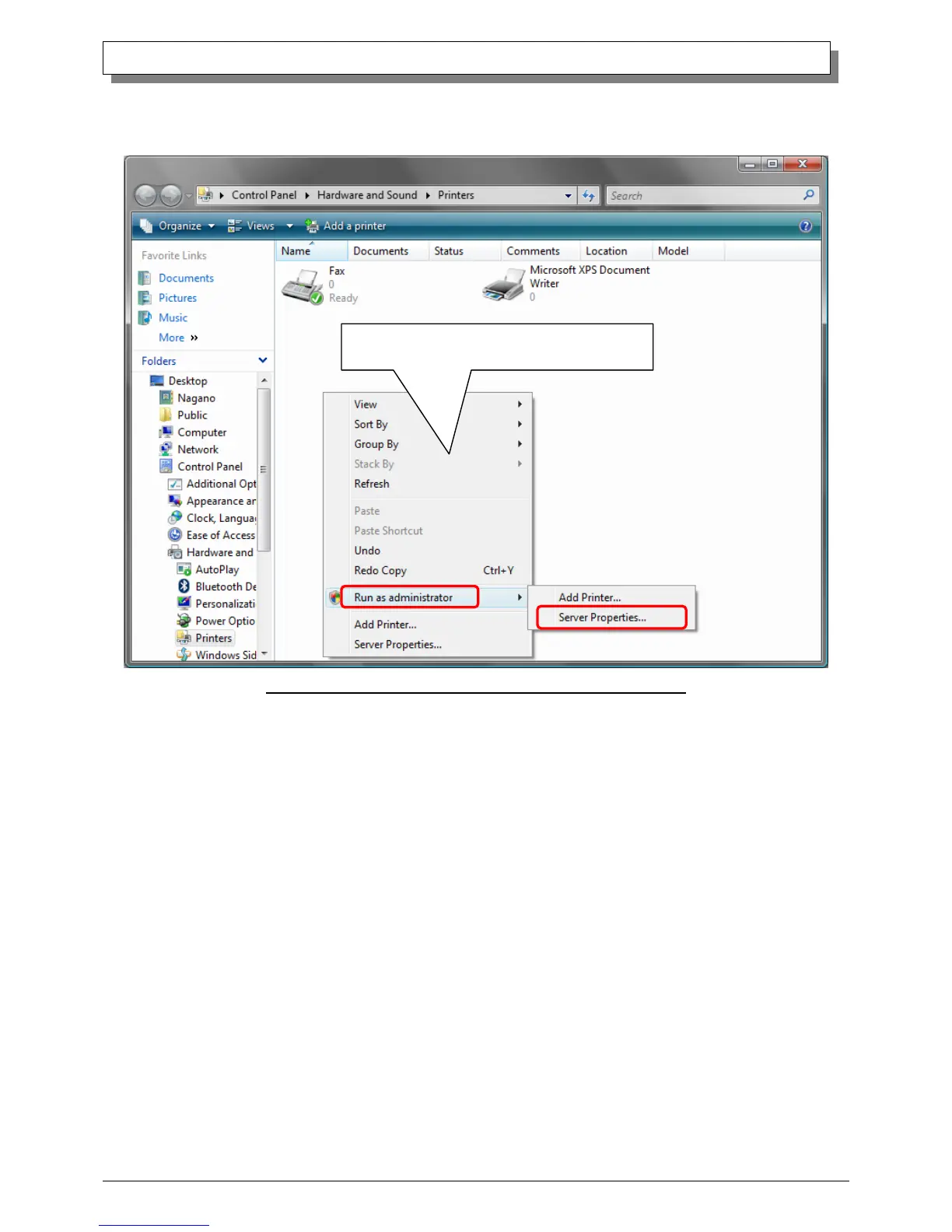
(4) After the DS-RX1 has been deleted, right-click where there is no icon, and get the pull-down menu. In the pull-down menu,
click on “Run as administrator”- “Server Properties”.
Fig 3.3 Pull-down menu opened by right-clicking on the Printer window
(5) After this, user account control will request confirmation with “Windows needs your permission to continue.”
Click on the “Continue” button.



 To Next Page