English
- 34 -
Battery charging indicator
The display shows the charging level on the right side. Additional indicators are
the LED brightness and the image quality. if the battery is empty the brightnes
goes down and also the image quality.
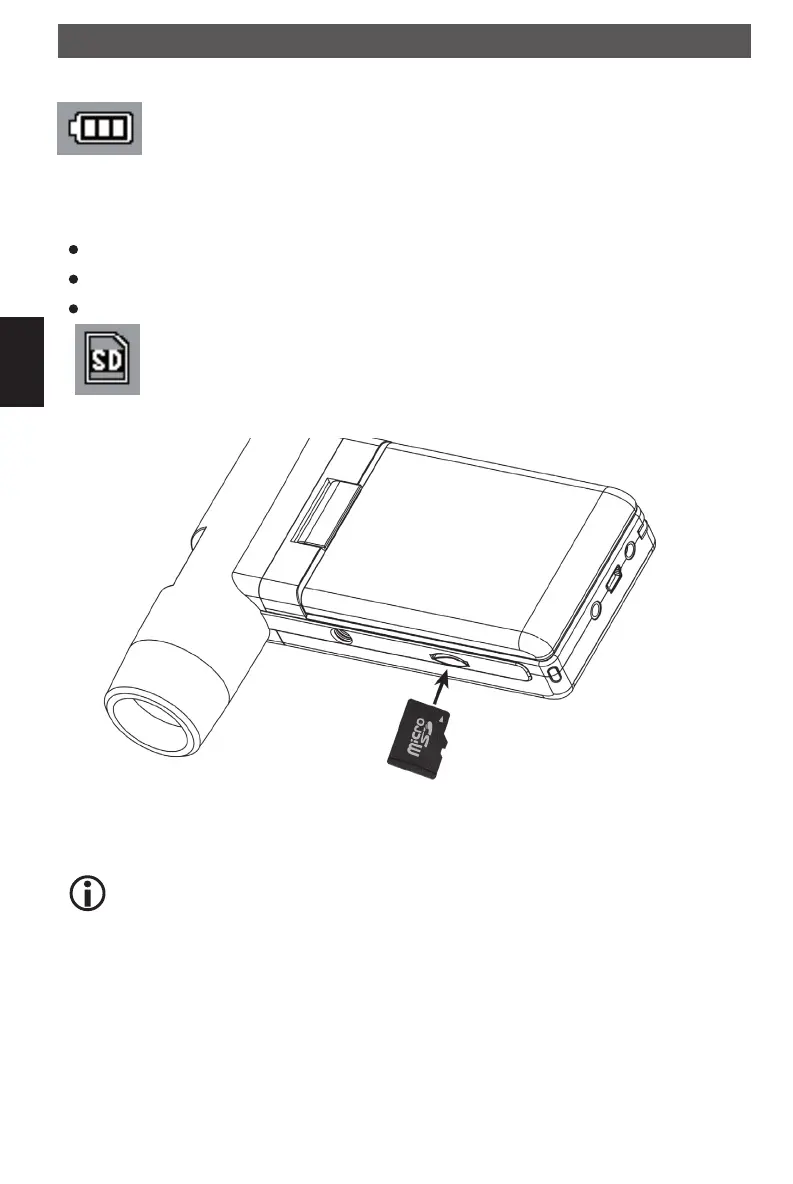
Insert a MicroSD Card and the SD card indicator
You must insert a MicroSD card to record and store your pictures and videos.
Turn the device off.
Insert the MicroSD card into the MicroSD card slot; gently press in until card is latched.
The display shows a SD card icon.
Please format the card before the first usage.(Format SD).
Getting started
Do not force the card into the slot; forcing may damage microscope and the
MicroSD memory card. Align MicroSD card position (as marked) and try again.
The MicroSD memory card must be formatted before capture.
DM mobile4lg.indd 34 26.02.2013 10:04:15



 To Next Page