English
- 38 -
Playback
To enter the playback mode press the
/ -button until the display shows the playback icon
. In case the SD card contains video files only, the display shows the video icon .
To view images and videos press the / buttons.
The microscope is able to recognize the file type, picture or video, and shows an
icon accordingly.
The current selected file is a picture.
Select the previous and next picture with the / buttons.
The current selected file is an video.
Navigation:
Start the playback with the OK button
For puse press OK button again.
/ For fast forward and rewind press the / buttons. To switch back to normal playback
press the OK button. If the last choice was „rewind“ it plays in a normal speed but
backward. To switch to normal playback (forward) press once the forward button and
OK.
Finish the fast forward and rewind.
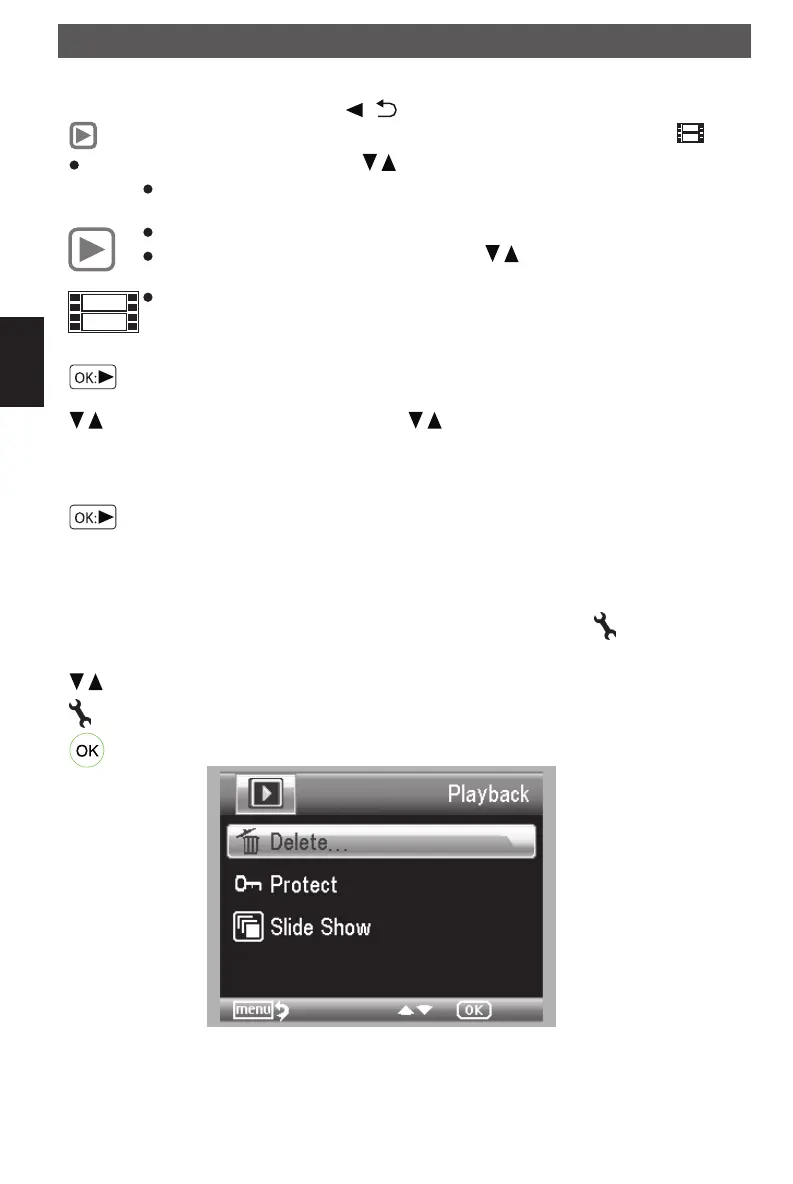
Playback menu
During the playback you will get access to a submenu with the following functions.
Delete, protect and side show. To access the playback menu press the
button.
Navigation:
/ buttons : Select a menu item
button : Exit the menu.
button : Confirm the selection.
Delete:
In the follwing submenu select
This image: delete the image shown in the display.
All: Delete all
Using the microscope
DM mobile4lg.indd 38 26.02.2013 10:04:16



 To Next Page