- 35 -
English
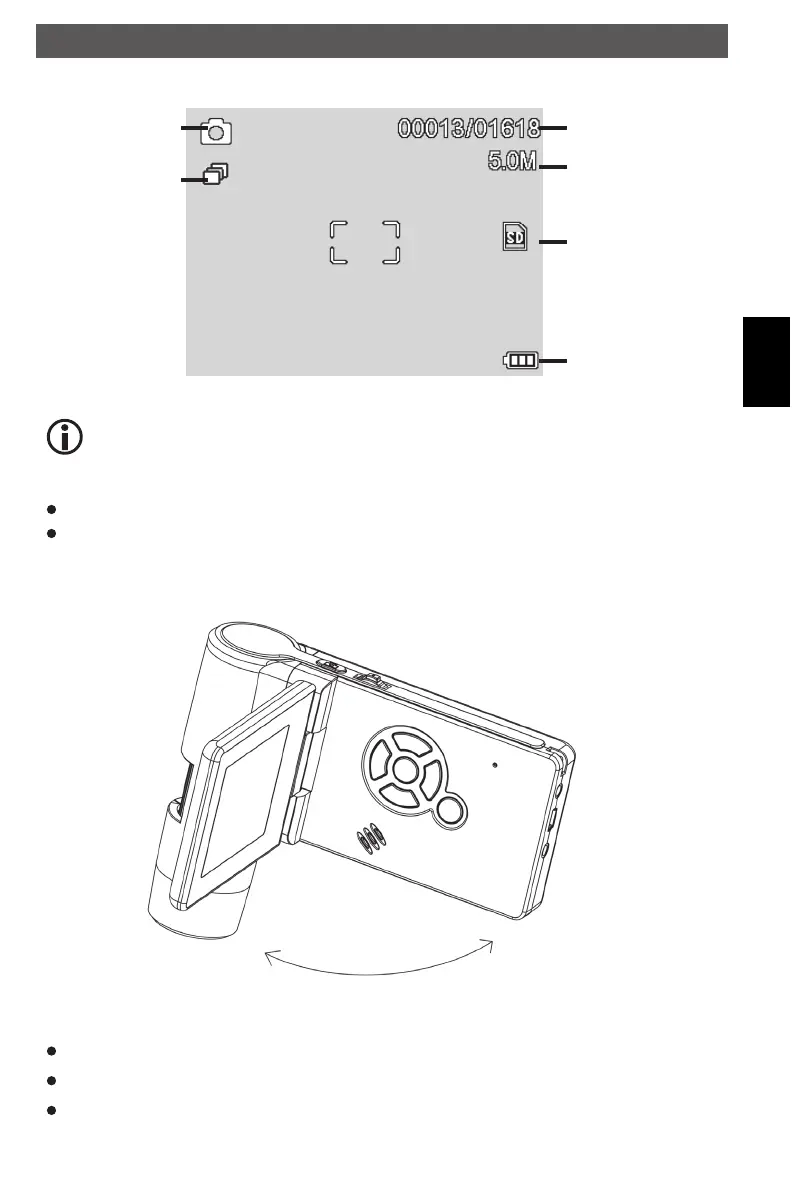
Display - photo mode
Still image capture
Timer capture
image qty/total qty
current resolution
SD card inserted
battery charging
indicator
Turn off
Fold the display panel and then the microscope will turn off automatically
Press ON/OFF button
By Power Save.
The icon displays can be switched on/off by pressing Zoom Wheel downward
vertically.
Turn on
Unfold the display panel, and then the microscope will power on directly.
If need to power on when panel unfolded, press POWER ON/OFF button.
Using the microscope
DM mobile4lg.indd 35 26.02.2013 10:04:15



 To Next Page