- 43 -
English
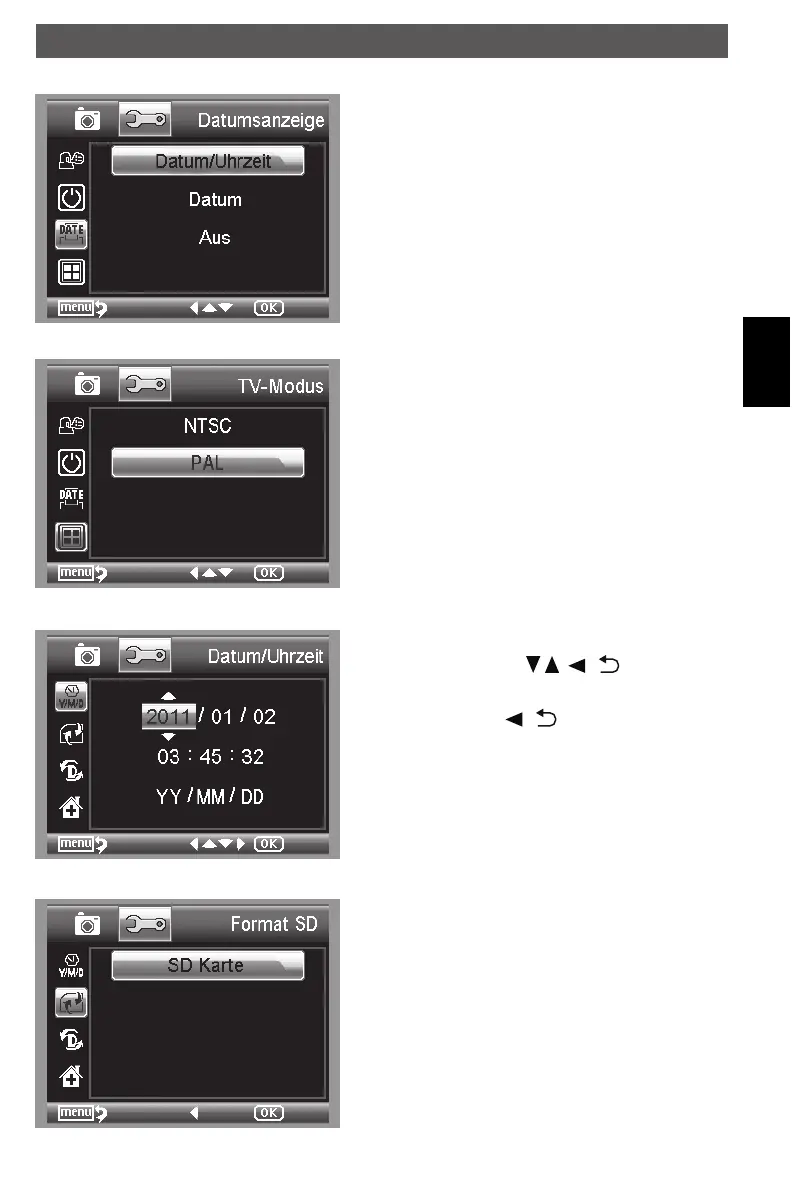
Date Stamp
Date/Time: both date and time will be marked on
images taken.
Date: on date will be marked on images taken
Off: None of date and time info will be marked on
images taken.
TV Out
Choose TV Out and then select, between NTSC and
PAL, the correct mode compatible with your TV.
Date/time
Choose Date/Time to setup date and time.
Setup date and time by
/ , / -buttons.
Setup date mode among YY/MM/DD, DD/MM/YY,
and MM/DD/YY with
/ -button.
Format SD card
Choose Format SD to format the SD card before the
first usage. Confirm the prompt with OK(Execute)
otherwise select Cancel.
Using the microscope
DM mobile4lg.indd 43 26.02.2013 10:04:17



 To Next Page