Operating the system Connect Panel
16
5.3 “Settings” menu
➤ Press the sensor button.
Display and control elements
or
or
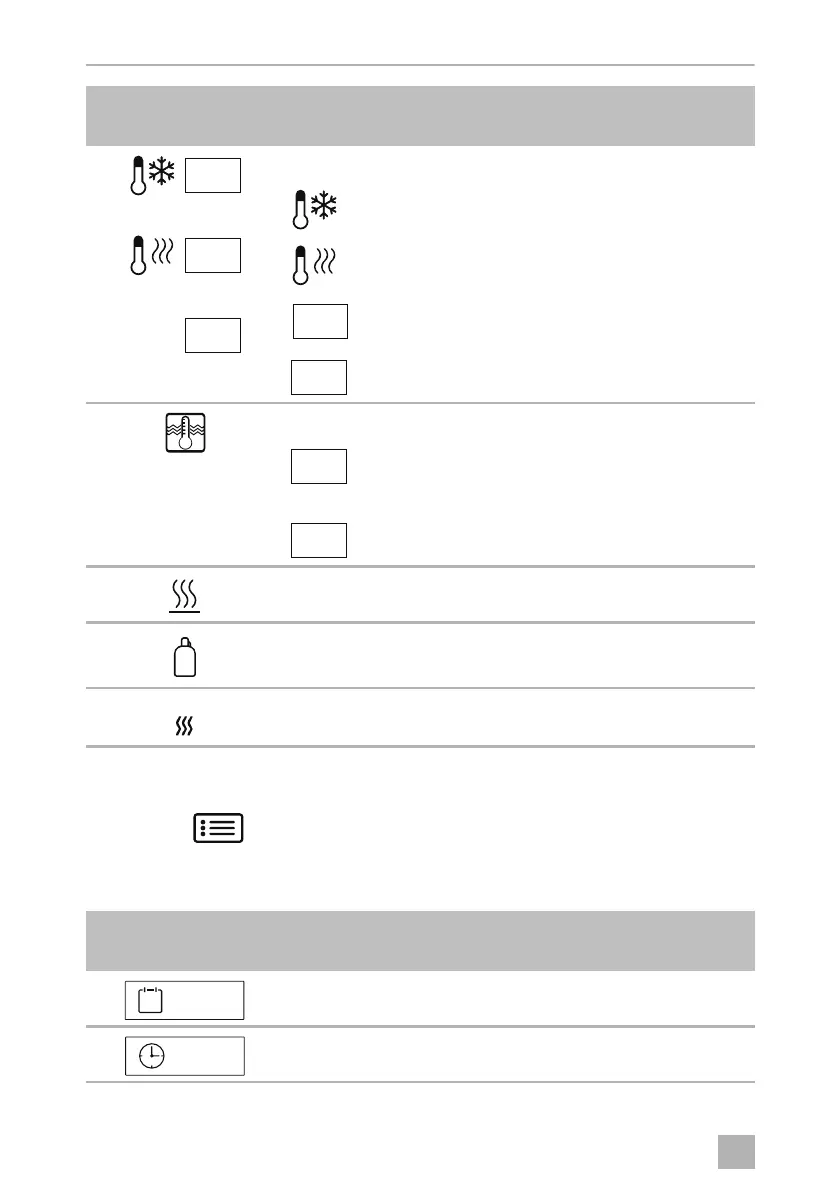
Air conditioning system
Air conditioner is switched on
Heating is switched on
•
Set temperature display
•
Setting quick access to temperature
Air conditioning system switched off
Water boiler
or
•
Water boiler status display
•
Switching water boiler on
•
Switching water boiler off
•
Orange
•
Gray
•
Underfloor heating is switched on
•
Underfloor heating is switched off
•
Red
•
Gray
•
Spare gas bottle is being used
•
Spare gas bottle is not being used
•
Orange
•
Gray
•
EisEx is switched on
•
EisEx is switched off
Symbol in
fig. 4, page 4
Explanation
Setting the date
Setting the time
Symbol in
fig. 3, page 4
Explanation
20°
31
08.07.18
12.30
ConnectPanel -O-8s.book Seite 16 Dienstag, 31. März 2020 6:13 06












 To Next Page