Connect Panel Operating the system
21
5.9 “Air conditioner” detail menu
I
➤ Press on the navigation bar in the main menu.
➤ Press
on the navigation bar in the “caravan climate” menu.
Display and control elements
NOTE
The modes available depend on the model of the air conditioning
system.
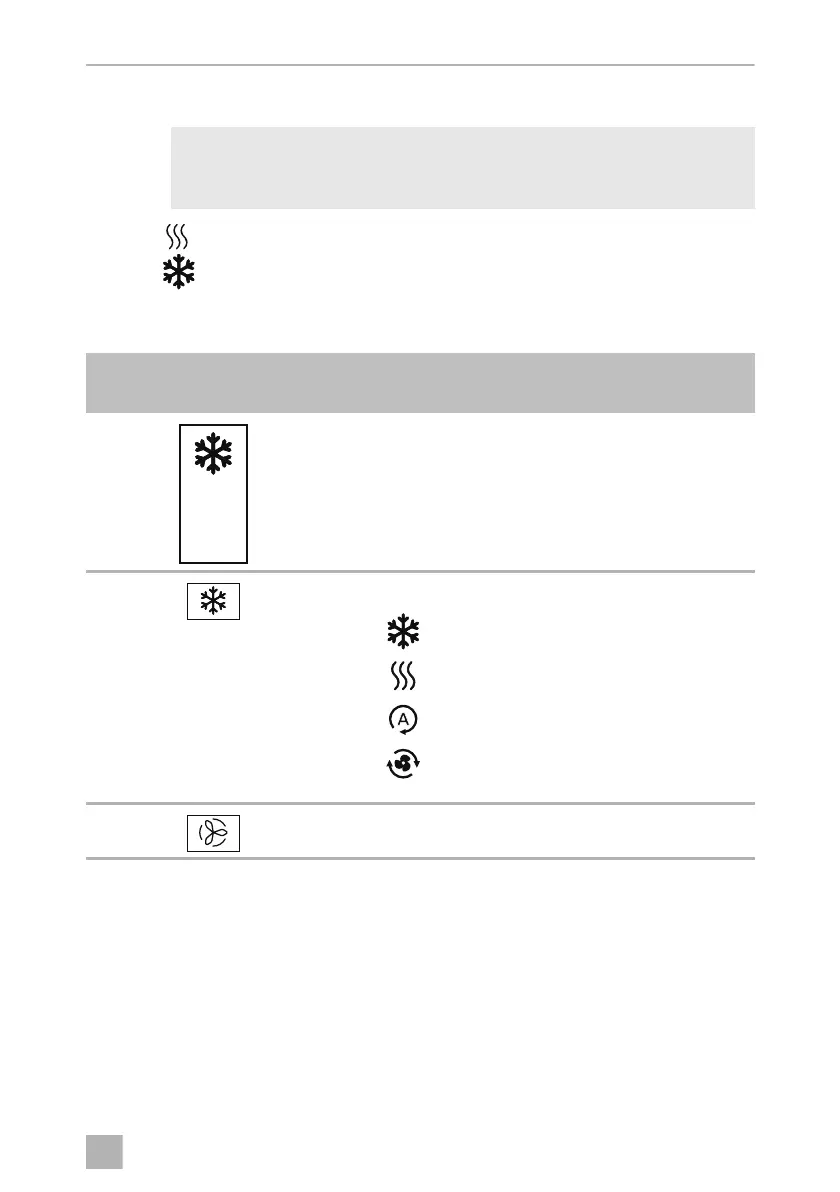
Symbol in
fig. 0, page 7
Explanation
Touch logic:
•
Switching air conditioner on
•
Switching off air conditioner off
•
Setting air conditioner temperature
Selecting air conditioner mode:
•
Cooling
•
Heating
•
Automatic
•
Air recirculation mode
Selecting fan speed (“Low”, “Med”, “High”, “Night”)
off
ConnectPanel -O-8s.book Seite 21 Dienstag, 31. März 2020 6:13 06












 To Next Page