Connect Panel Operating the system
17
5.4 “Battery” menu
➤ Press on the navigation bar.
Display and control elements
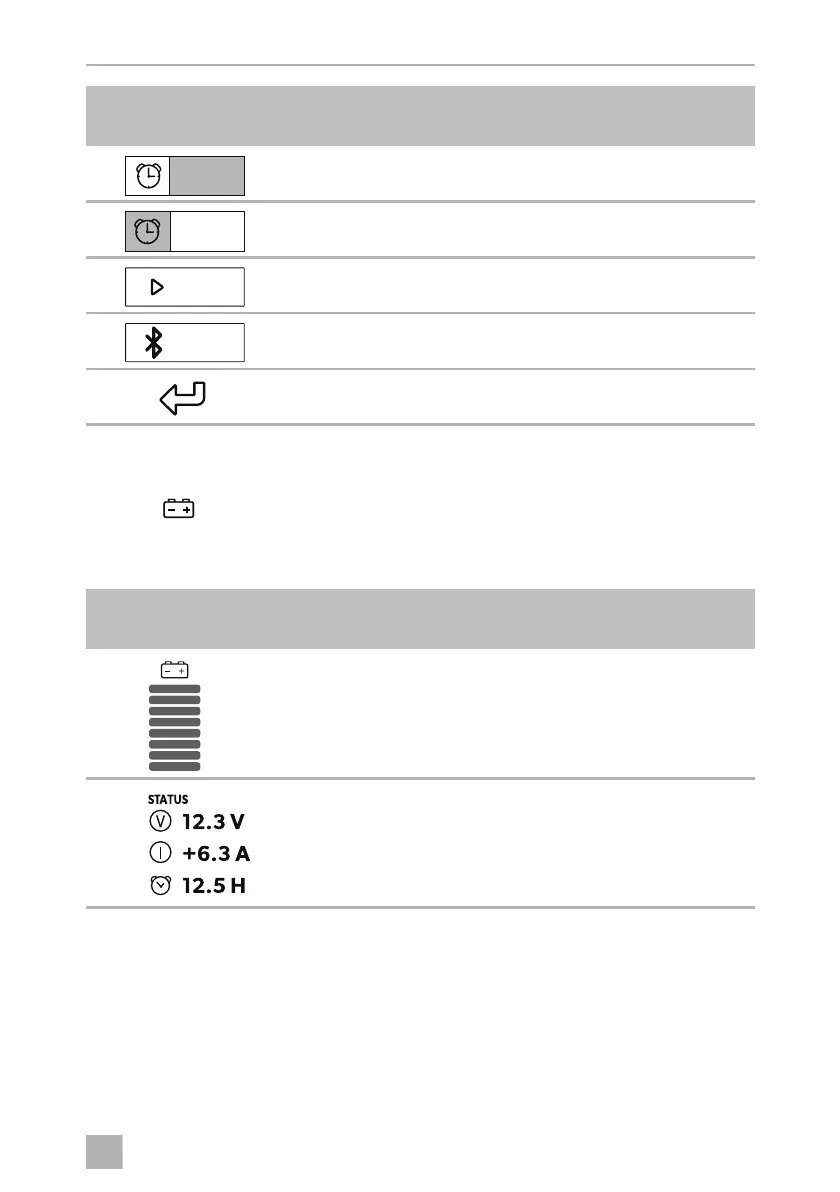
Setting wake-up time
Activating/deactivating wake-up alarm function
Screen: Display main menu or logo
Bluetooth settings
(only if the control unit is connected with the gateway)
•
Switch wake-up alarm off
•
Back to main menu
Symbol in
fig. 5, page 5
Explanation
Autonomous battery capacity
Status display
•
Voltage
•
Current strength during present
current consumption/charging current
•
Remaining operating time/charging time
Symbol in
fig. 4, page 4
Explanation
08:00
off
Bluetooth
ConnectPanel -O-8s.book Seite 17 Dienstag, 31. März 2020 6:13 06













 To Next Page