Connect Panel Operating the system
19
5.7 “Caravan climate” menu (heating and cooling)
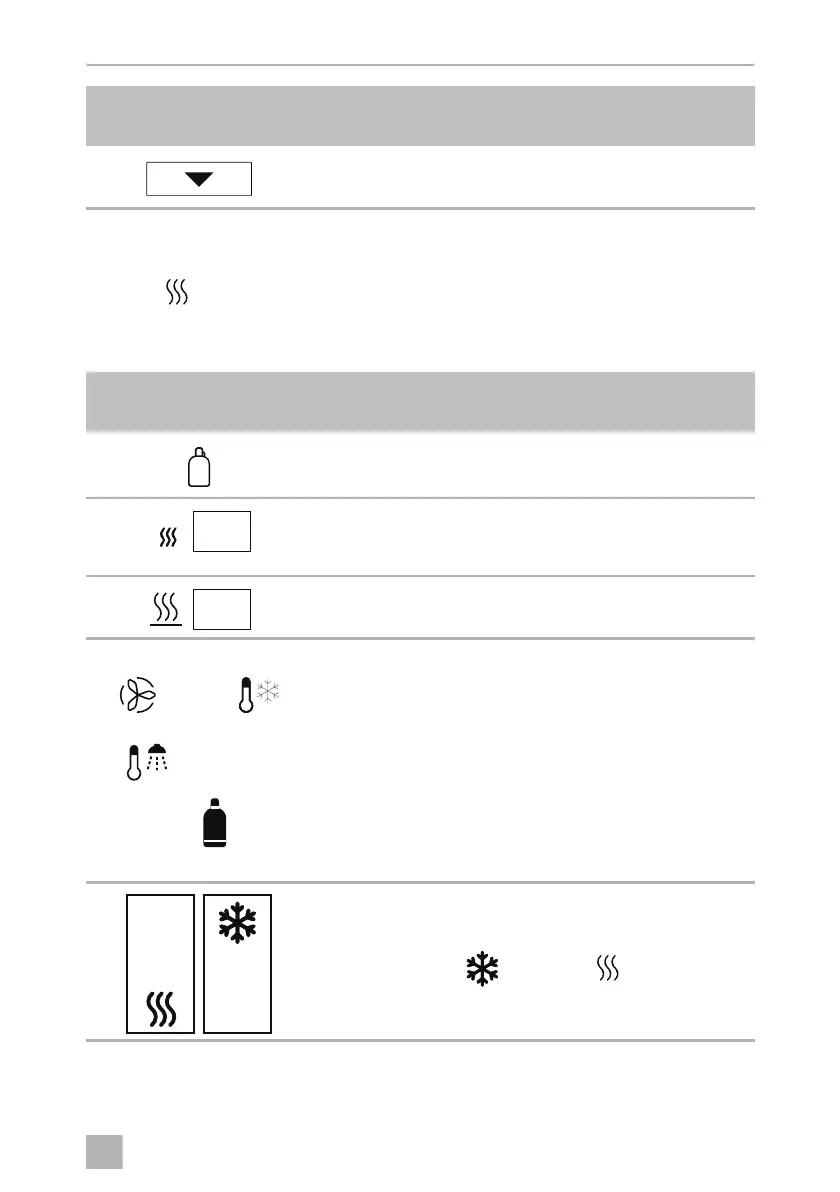
➤ Press on the navigation bar.
Display and control elements
Reduce set temperature
Symbol in
fig. 8, page 6
Explanation
•
Red
•
Gray
•
Spare gas bottle is being used
•
Spare gas bottle is not being used
•
Switching EisEx on
•
Switching EisEx off
•
Automatic switching on of EisEx at <5 °C
•
Switching underfloor heating on
•
Switching underfloor heating off
Display for:
•
Fan speed (“Low”, “Med”, “High”, “Night”)
and system mode (auto, cooling, air recirculation,
heating)
•
Water heating and water temperature status
•
Energy source of the combination heating: Gas,
electricity or mixed operation
•
Climate temperature setting display
•
Touch logic to detail menus:
Air conditioner ( ) or heating ( )
•
Set temperature or off
Symbol in
fig. 7, page 6
Explanation
R
on
Eis Ex
on
off off
ConnectPanel -O-8s.book Seite 19 Dienstag, 31. März 2020 6:13 06












 To Next Page