DONPER USA—USER MANUAL
30 — COPYRIGHT DONPER USA 2015
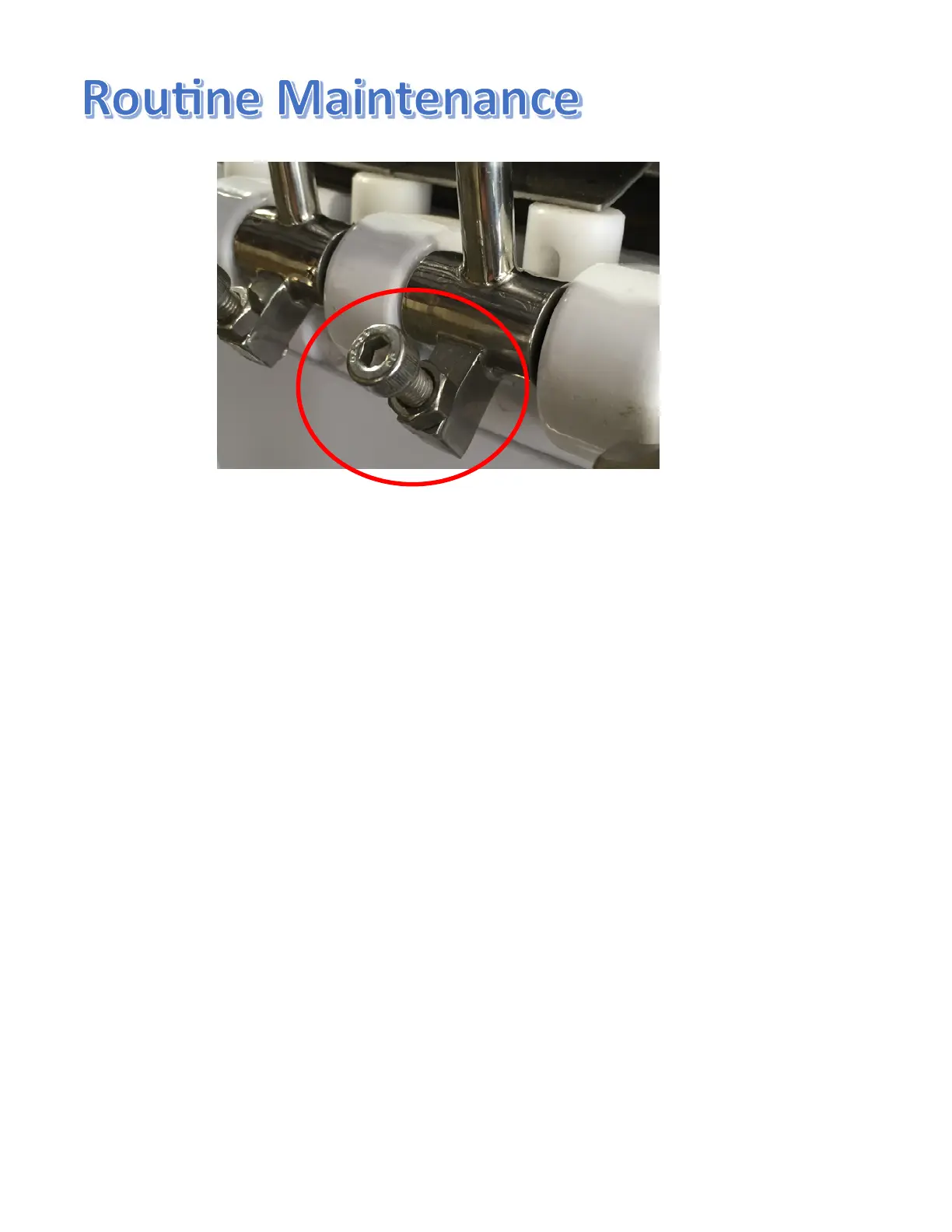
The dispensing handles feature adjustable flow rate screws to control
how fast the product is dispensed .To increase the flow rate, turn the
screw counterclockwise (loosen) To decrease the flow rate, turn the
screw clockwise (tighten). Once you have the flow rate screw in the
desired position, tighten the nut on the threaded screw against the
handle. This will prevent the flow rate screw from moving/turning
away from your desired set point for the flow rate. During sanitizing
and rinsing, the flow rate screws should be unscrewed to a “wide
open” position to allow the water and sanitizer to freely flow through
the orifices.



 To Next Page