20 21www.donperusa.com Phone: (844) 366-7371 Email: sales@donperusa.com
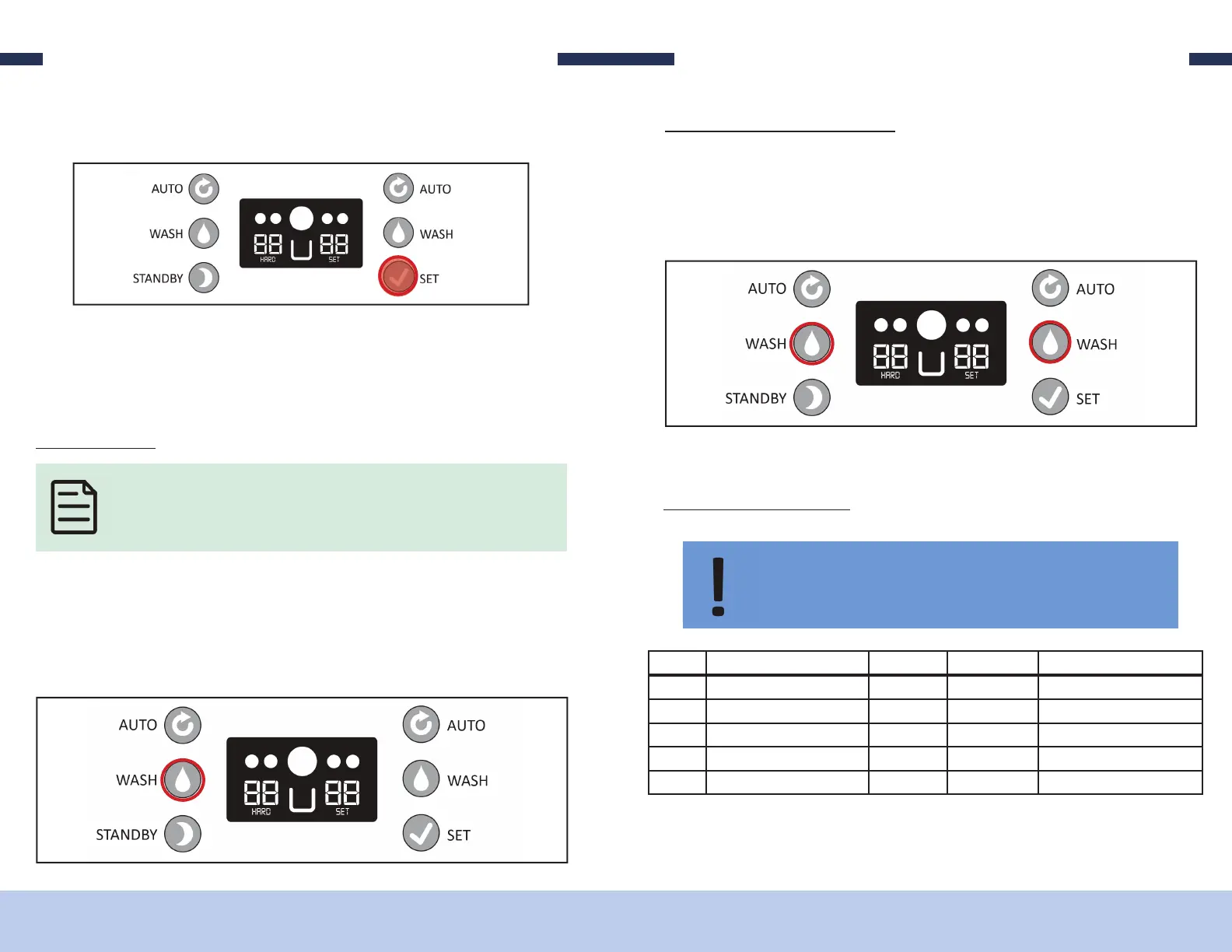
3. While the CUP COUNTER value is being displayed, you have the option to reset
this back to zero by pressing and holding the SET button for about 15 seconds.
W M
ENTER WASH MODE
1. Verify the side of the machine you want to place into WASH mode is in READY
mode.
2. Press the WASH button on the side of the control panel. e corresponding side
of the machine’s drive motor will activate.
NOTE: When the machine is placed into WASH mode, the drive motor is active but
the compressor is INACTIVE. This allows the augers in the freezing cylinder to rotate
like normal, agitating anything that is inside the freezing cylinders without freezing.
4. e value on the screen will change to zero.
5. Wait about 5 seconds and the machine will return to ready mode.
SETTINGS
EXITING WASH MODE
1. Simply press the WASH button on the side of the machine which is currently in
the WASH mode. (Le WASH button for the Le freezing cylinder and right wash
button for the right freezing cylinder.)
SETTINGS
A S
ID PARAMETER UNIT RANGE FACTORY SETTING
P0 Hardness 1 1-10 1
P1 Hopper Temp ºC 1-8 3
P2 Cleaning Time Minutes 1-30 15
P3 Periodic Restart Minutes 5-15 5
P4 Drive Motor Delay Seconds 10-30 10
Accessing and adjusting these settings is only recommended after speaking
with one of our qualified technicians. The only parameters that may need
adjusting are the Hardness and Hopper Temp settings.


 To Next Page