12 13www.donperusa.com Phone: (844) 366-7371 Email: sales@donperusa.com
CONTROL PANEL
(L) (R)
To operate the D250 control panel you first need to get the machine into “READY
MODE” (this is when the machine is plugged into its power source and the power
switch is in the ON position).
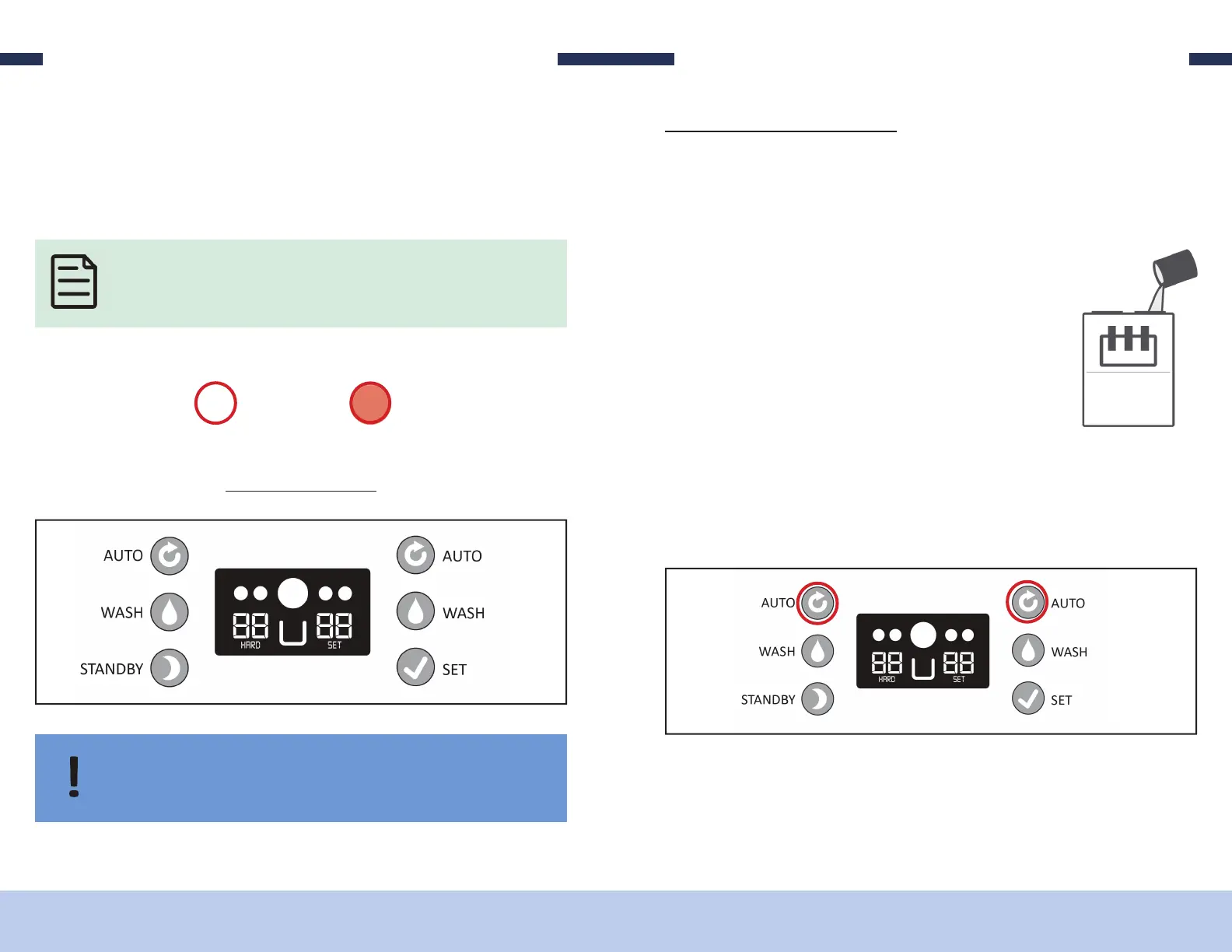
The symbols below will show up throughout this manual on images of the control
board buttons. If you see one of these on a button, be sure to interact with the
button according to the description.
Operating the D250 is all done through the control board. On the control board there
are 6 buttons, each of which has its own function. Pressing and holding di erent com-
binations of the buttons unlocks di erent settings which the user can adjust to t their
needs.
SINGLE PRESS
BUTTON
PRESS & HOLD
BUTTON
OPERATING
F P
1. Verify machine has been recently sanitized (within 1 hour)
2. In a separate container, thoroughly mix and prepare product according to manu-
facturer instructions; mix should be cool and free of large chunks
OPERATING
4. Pour product into hopper until freezing cylinders are full
5. Verify the freezing cylinder that you want to use is full of
mixed product.
3. Remove feed tubes in order for the mix to move into the
freezing cylinder more quickly.
6. With the machine in ready mode, pressing the le “AUTO” button will begin
freezing the le freezing cylinder and cooling the le hopper. Pressing the right
“AUTO” button will begin freezing the right freezing cylinder and cooling the
right hopper.
7. e number displayed on the le side of the control panel above the word “HARD”
is the percentage of how ready the product currently is inside the le freezing cyl-
inder based on it’s “HARDNESS SETTING”.


 To Next Page