22
1838-065 Issued 3-19
Version D
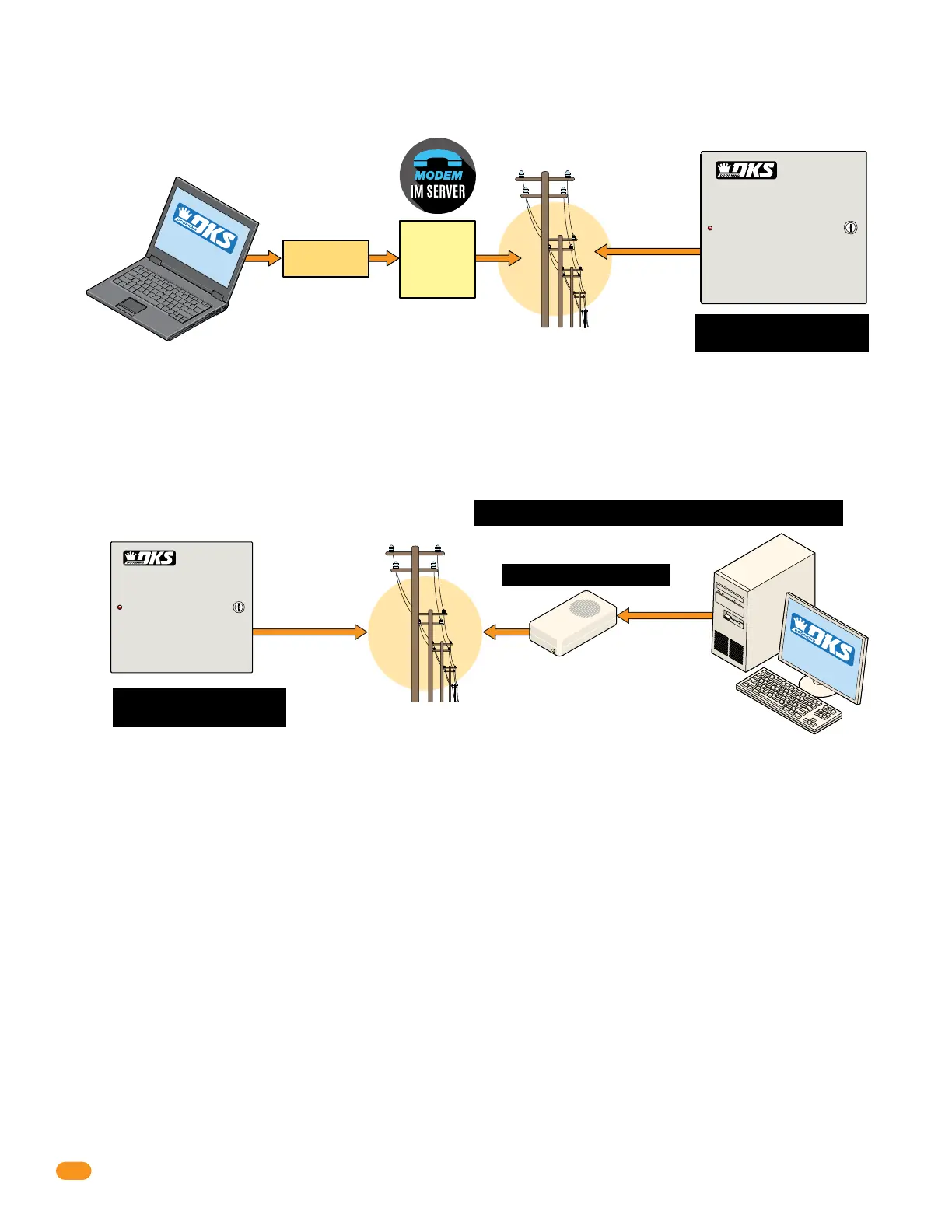
Use your EXISTING phone modem to connect your PC to the 1838.
2.4.3b Dial-Up Phone Modem Connection - Data Transfer/Optional Voice
Your External
Phone Modem
or
Internal PC
Phone Modem
Phone Company
Your PC
SLOW Data Transfer Rate
SOFTWARE
INSTAL
L
ED
Note: In some cases, digital phone service (VoIP for example) may negatively affect modem service.
Note: You are
responsible for the
telephone line
charges connected
to the entry system.
Note: Telephone companies will NOT support this phone line
connection to a access controller system after 2020.
DoorKing does NOT guarantee modem connections.
Phone Line
for Data and
Optional Voice
Voice Note: Voice used for a
DoorKing Call Station ONLY.
Voice Note: Voice used for a
DoorKing Call Station ONLY.
DoorKing IM Server modem service is available for one
low monthly fee without any long term contracts.
Your PC connected
to the internet,
wired or wireless.
Phone Line
for Data and
Optional Voice
NO additional hardware required. Works with DoorKing’s IM Server modem over the internet.
2.4.3a DoorKing IM Server Modem Connection - Data Transfer/Optional Voice
Phone Company
SOFTWARE
INST
ALLED
Internet
IM
Server
Modem
Note: IM Server is
NOT compatible
with VoIP services.
Note: You are
responsible for
the telephone
line charges
connected to the
entry system.



 To Next Page