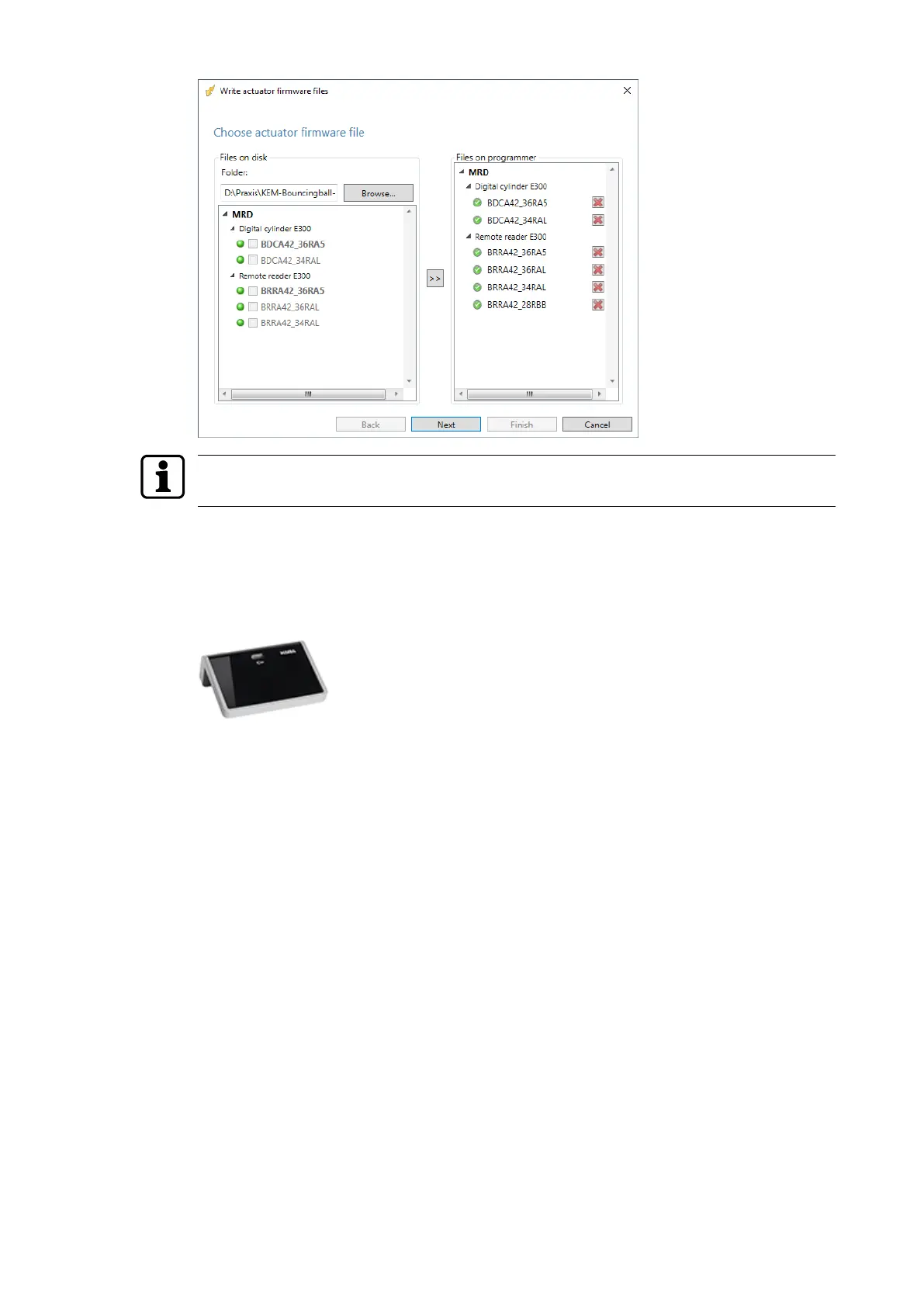
Multiple firmware files can also be copied directly to the "Files on the programmer" folder
from the explorer.
8. Click on the 'Finish' button.
ð The firmware files are now on the programmer and can be used for a firmware update.
The firmware update is described in the user manual for the programmer 1460.
8.1.4 Updating desktop reader 91 08
1. Start the 'EAC Service Tool' auxiliary program.
2. Connect the desktop reader to the computer.
3. Press the 'Desktop reader 9108 <selected technology>' button.
4. Follow the wizard’s instructions.
5. Select the current firmware file.
6. Click on the 'Next' button.
ð The desktop reader is updated.
7. Click on the 'Finish' button.
Service User Manual
46 - 06/2021dormakaba Programmer 1460



 To Next Page