06-2023 dormakaba Canada Inc. RAC5 MFC Installation Guide – PK3738 | 11
4.2 Installation and Wiring Procedures
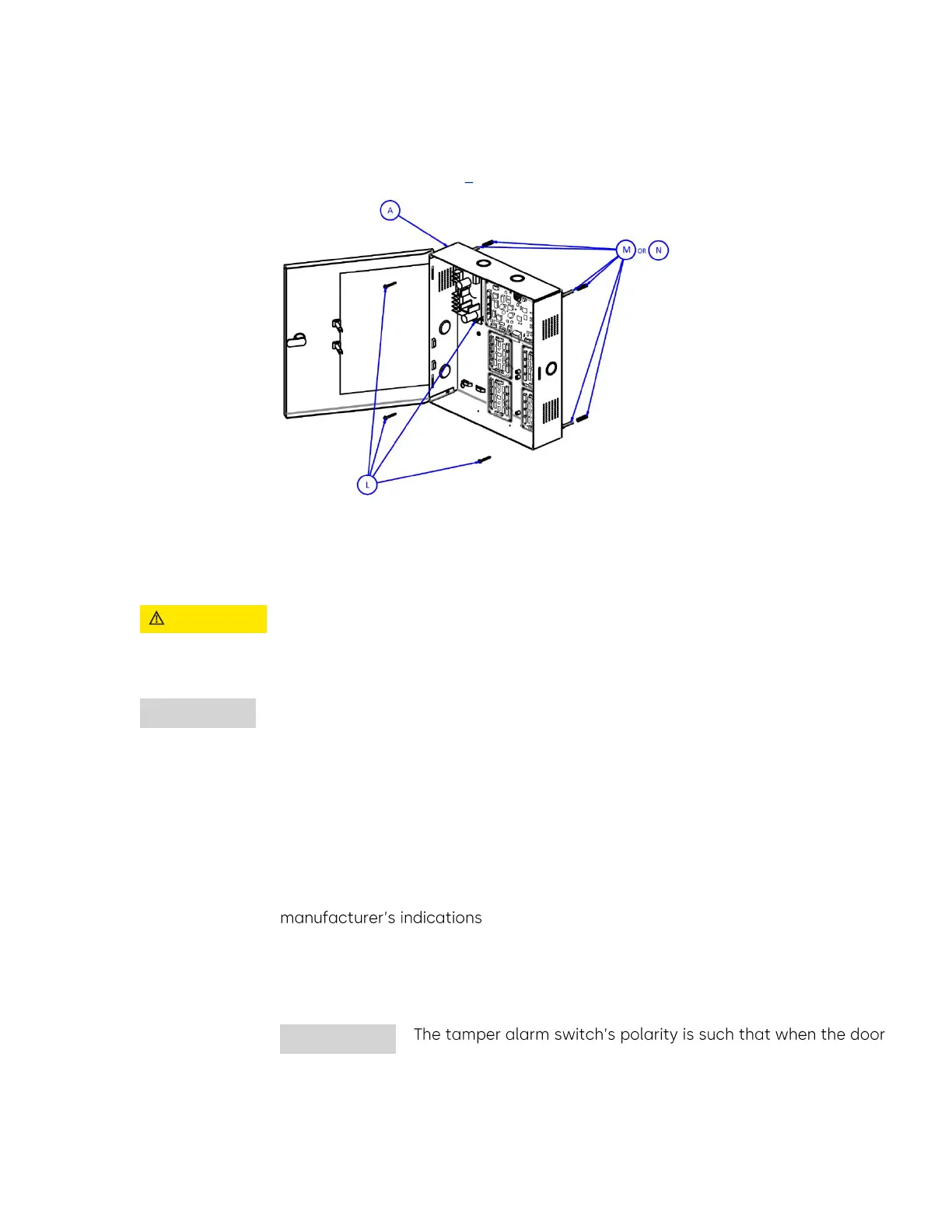
1. Mount the RAC5 MFC enclosure
a) Install the enclosure in the desired location using the appropriate items from the hardware bag
NOTE: For easier access, we recommend removing the access door prior to installation.
Figure 6 Enclosure
2. Mount the contactless card reader.
a) Prepare the panel according to the drilling template in Annex I.
b) Install the contactless card reader as indicated in Annex G.
3. Connect peripheral wiring.
Do not exceed the maximum cable length indicated by the manufacturer of the
products being connected. In addition, the wire used to connect the peripherals
to the controller PCB must be of the proper gauge and type as specified by the
manufacturer.
Every wire must pass through a strain relief as connected in the pre-installation
procedures. dormakaba Canada Inc. does not provide technical or field support
for third party locking devices. Please consult the device manufacturer for
support.
NOTE: The maximum recommended wire length is the approximate wire length that causes a 5%
voltage loss in the wire, using a 12-volt locking device at the rated current included.
a) Access Override Panel: Refer to Annex H, Figure 21 for detailed wiring
i. Remove the jumper wire connected between pins 3 and 4 of connector J18 on
the controller PCB and complete the access override installation as per
b) Tamper Switch to Premise Alarm System
i. To wire the tamper switch to the premise alarm system, disconnect the wires on
controller PCB connected J7 pins 1 & 2 and run a 2-connector cable from the
switch to the premise alarm system
is closed, the switch itself is also in a closed state. Ensure that
the wiring to the premise alarm system is done accordingly to
prevent false alarms.


 To Next Page