English
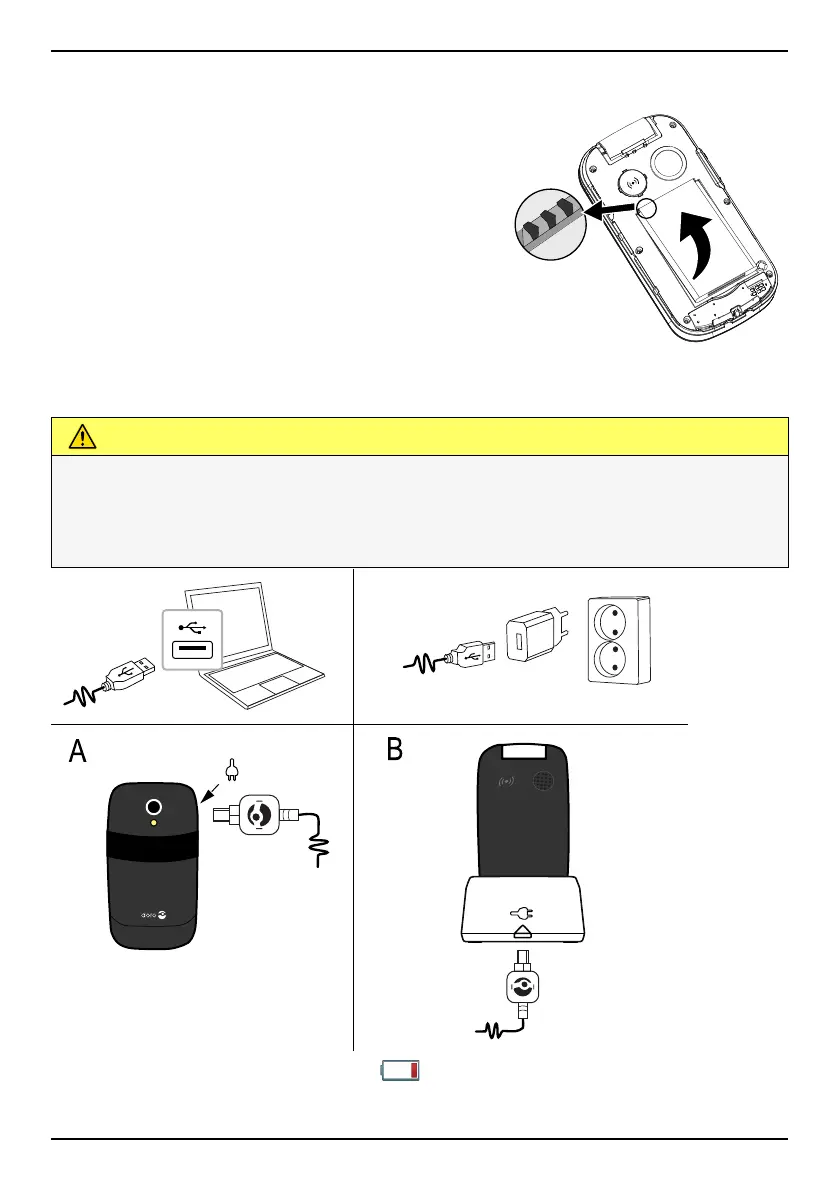
Insert the battery and replace the battery cover
Insert the battery by sliding it into the battery
compartment with the contacts facing up-
wards to the left. Replace the battery cover.
Charge the phone
CAUTION
Only use batteries, chargers and accessories that have been approved
for use with this particular model. Connecting other accessories may
be dangerous and may invalidate the phone's type approval and
warranty.
000000000000000000
000000000000000000
000000000000000000
000000000000000000
000000000000000000
000000000000000000
000000000000000000
000000000000000000
000000000000000000
000000000000000000
000000000000000000
000000000000000000
000000000000000000
000000000000000000
000000000000000000
000000000000000000
When the battery is running low, is displayed and a warning signal is
heard.
3



 To Next Page