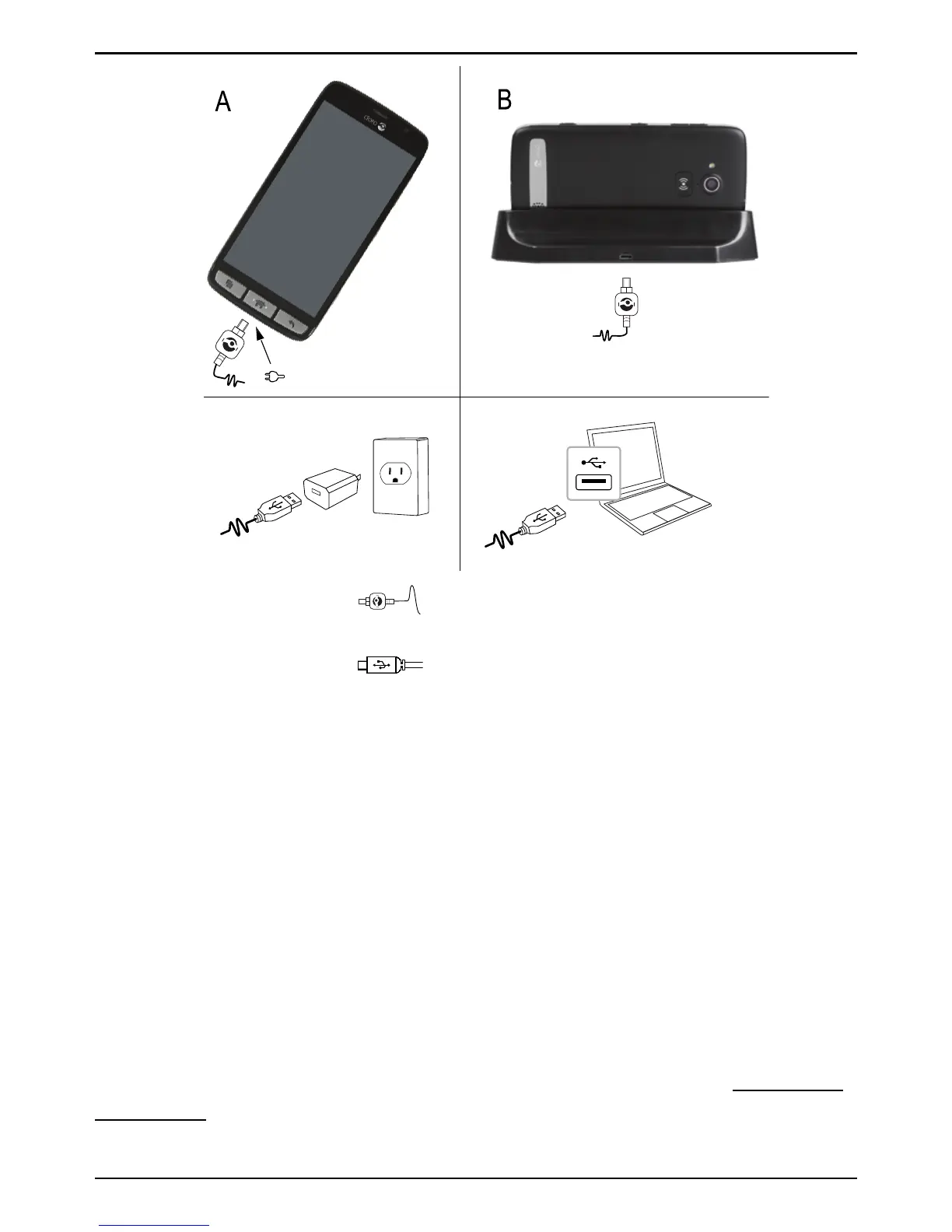
1. Insert the small end of the USB cable into the charging port of
the phone (A) or into the charging port of the cradle (B).
2. Insert the other end
of the USB cable to the AC adapter that
you plug into a wall socket.
If the phone is turned off during charging, the phone will still charge.
Press the ! Power button to view charging status.
Save energy
When you have fully charged the battery and disconnected the charger
from the device, unplug the charger from the wall socket.
Note! To save power, the display will lock after a set time. Press the !
Power button to activate the screen.
Screen lock
The screen lock prevents unwanted actions on the touch screen when
you are not using the phone. Your display is locked when left idle for a
set period of time, depending on the set screen timeout. See Phone set-
tings, p.20
4



 To Next Page