English
Picture gallery and Video gallery
View your saved pictures or videos .
1. Press Menu
Camera Picture gallery or Video gallery.
2. Use
/ or the side buttons +/– to select a picture or video.
3. Press Options:
• View for single view. Press Back to return.
Use
/ to play and stop the video (video only).
• Send
Send by MMS to send as picture message. See Create
and send picture message (MMS), p.14.
• Send
Send by Bluetooth to send to a Bluetooth device, see
Bluetooth
®
, p.36.
• Delete to delete. Press Yes to confirm or No to return.
• Use (picture only)
Wallpaper to save as display background.
• Use (picture only)
Phonebook picture to save as phonebook
contact.
• Details to view detailed information about the file, e.g. date,
size, copyright.
• Rename to rename picture.
4. Press OK to confirm.
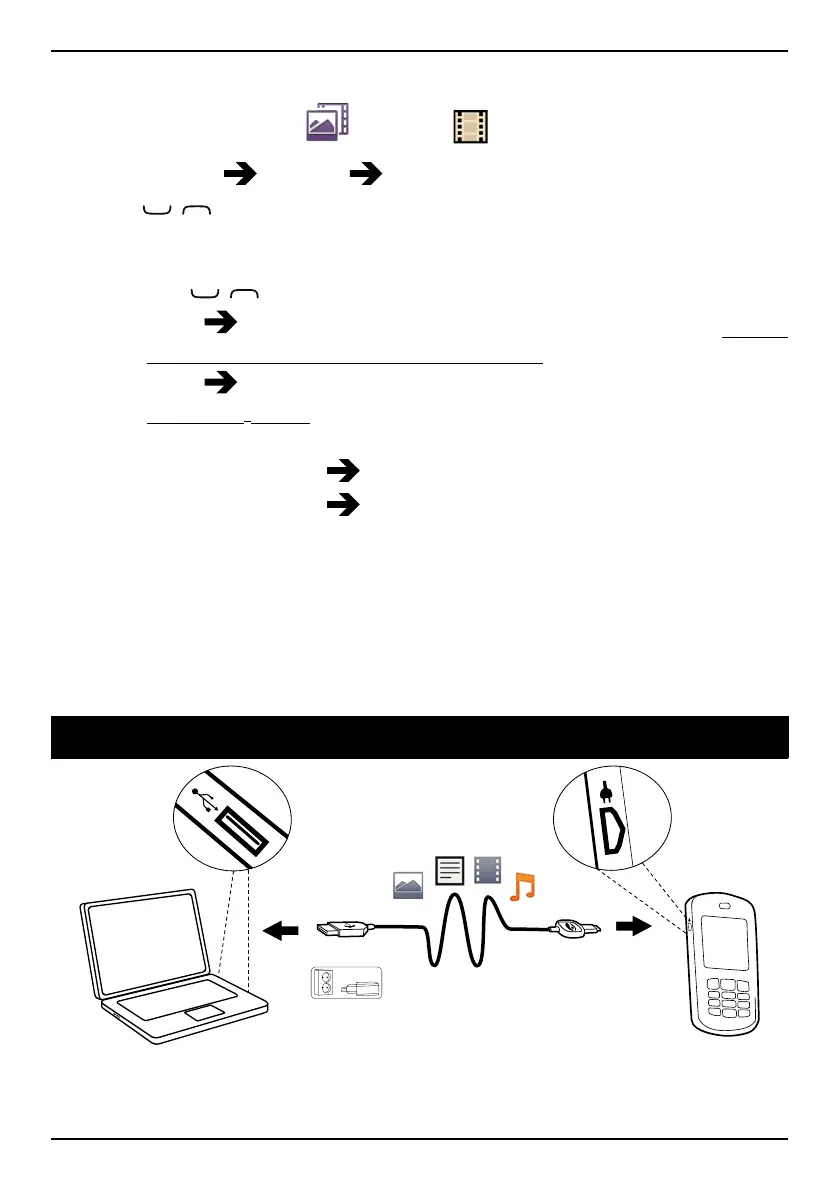
Connect the phone to a computer
Connect the phone to a computer and start transferring pictures, music
and other file types. All you have to do is connect a USB cable between
19















 To Next Page