English
Example: Set Jeff Jackson’s mobile number in memory key A in Doro
PhoneEasy
®
621 and Martha Thomson in memory key B.
• *#memorykey#a#Jeff Jackson#0700393939#
• *#memorykey#b#Martha Thomson#0768991014#
Add task to calendar
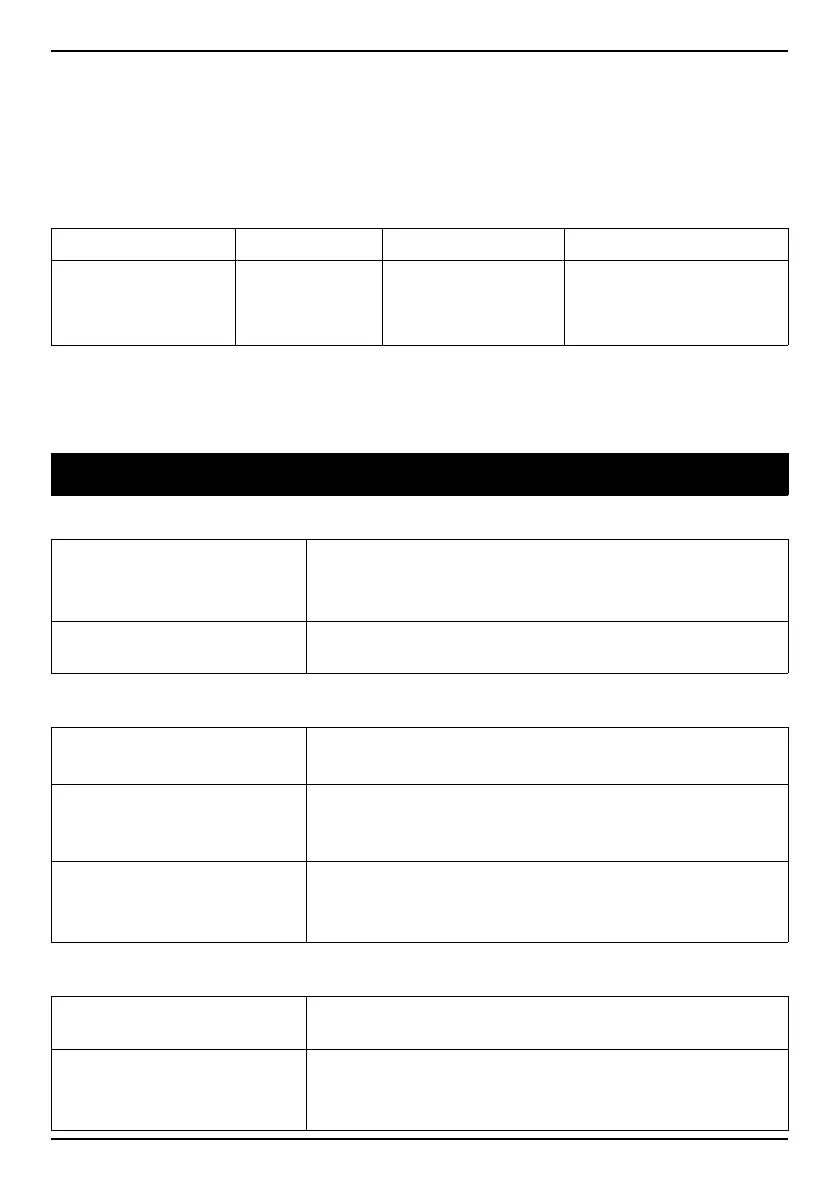
Command P 1 P 2 P 3
task yyyymmdd
Date
hhmm
Time
note
description of task.
max. length = 35
Example: Send a new calendar task to Doro PhoneEasy
®
621. The task
text should be: dentist appointment in December 1, 2010 at 10:30.
• *#task#20101201#1030#dentist appointment#
Troubleshooting
Phone cannot be switched on
Battery charge low
Connect the power adapter and charge the bat-
tery for 3 hours. Full battery capacity is reached
after the battery has been charged 3–4 times.
Battery incorrectly
installed
Check the installation of the battery.
Failure to charge the battery
Battery or charger
damaged
Check the battery and charger.
Battery should only be
charged in temperatures
between 0 °C and 40 °C
Improve the charging environment.
Charger incorrectly con-
nected to phone or
power socket
Check the charger connections.
Standby time decreases
Battery charge capacity
too low
Install a new battery.
Too far from base sta-
tion, phone is constantly
searching for signal
Searching the network consumes battery power.
Find a place with a stronger signal, or tempora-
rily turn off the phone.
48















 To Next Page