24
25
UNIVERSAL COUNTERFEIT DETECTOR DORS 1300 UNIVERSAL COUNTERFEIT DETECTOR DORS 1300
To switch off detector DORS 15, press and hold the SELECT key ()
during 3 s. If the DORS 15 is not used during an hour, it switches
off automatically.
AUTO OFF MODE
The auto off mode is controlled by the on-screen menu (see Fig. 4).
If the auto off mode is selected, the device automatically goes to the standby
mode after the choosen period of time (3, 10, 30 or 60 minutes) since the last
pressing of any key. Appearance of a message in left bottom corner of the
screen means the auto off mode is turned on; the message shows the period
of time after which the detector will go to the standby mode.
When in the standby mode, the power switch indicator continues to light but
all the light sources, and the display backlight and most of other power con-
sumers of the device get switched off. This ensures lowered power consump-
To leave the standby mode, press any operation key. The device goes to
the mode corresponding to the pressed key. If the key ↑ , ↓ , ←, → or the SET
key is pressed that control the mode only with the help of the menu, the
device goes to the IR-illumination mode.
SWITCHING DEVICE OFF
Press the off power switch key
;
here the switch illumination shall go out.
It is the user who decides whether to disconnect the power cord from the
power supply or not. It is worth disconnecting only in case of a long-term
(more than several days) device standing by.
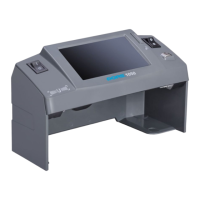
If it is necessary to install the device on a new place after it was switched off,
one shall place the display body in a transportation position. To do it, turn
the display around a vertical axis so that the screen surface became parallel
to the device rear wall. Then lower (without any excessive strength) the dis-
play body in a horizontal position with the screen down up to touching the
device body. Disconnect the power plug from the power socket. Having done
this, one may move the device to a new place.
tion.
CARE AND MAINTENANCE
To clean the device surface from dirt, use water-based neutral detergents
(for example, the ones for dish washing) or the cleaning compositions on the
base of isopropyl alcohol. Remove carefully excess of the detergent or the
cleaning composition from the device.
WARNING! BEFORE CLEANING THE DEVICE SURFACE FROM DIRT,
MAKE SURE THE POWER PLUG HAS BEEN REMOVED FROM THE
POWER SOCKET!
WARNING! TO AVOID AN ELECTRIC SHOCK, AVOID INGRESS OF
THE DETERGENT OR THE CLEANING COMPOSITION INSIDE THE
DEVICE!
WARNING! WHEN CLEANING THE SURFACE, USE ONLY A SOFT TIS-
SUE TO APPLY THE DETERGENT OR THE CLEANING COMPOSITION!
IT IS PROHIBITED TO USE A BRUSH, ASPRAYER OR AN AEROSOL
SPRAY TO APPLY THE DETERGENT OR THE CLEANING COMPOSI-
TION!
Fluorescent lamps are used in the device as the sources of UV light and bot-
tom white light. The device has a built-in system of fluorescent lamps diagnostic
which informs the user about a lamp failure and the necessity to replace it.
After a lamp failure, the lamp shall be replaced. As an exception, the device
with a failed lamp may be in operation during not more than 8 working hours.
Attention! Fluorescent lamps are consumables, and the manufacturer's warranty
doesn't cover them.
To replace the fluorescent lamps, one shall use the lamps of the type installed in
the device. To replace UV-lamps, one shall use lamps DORS TL 6W/08 F6T5/
BLB. To replace white lamps for viewing table illumination, one shall use lamps
DORS TL 6W/08 F6T5/DL.
WARNING! REPLACING OF THE LAMPS MAY BE ACCOMPANIED BY
TOUCHING OF THE METAL CAPS OF THE FLUORESCENT LAMPS
HAVING A SINGLE INSULATION FROM THE CIRCUIT OF THE DEVICE
POWER SUPPLY. THEREFORE, IT IS PROHIBITED
TO REPLACE THE
LAMPS IN THE DEVICE WITH ITS POWER PLUG INSERTED INTO THE
POWER SOCKET. ONLY QUALIFIED PERSONNEL SHALL REPLACE
THE LAMPS IN THE DEVICE;



 To Next Page